Smart
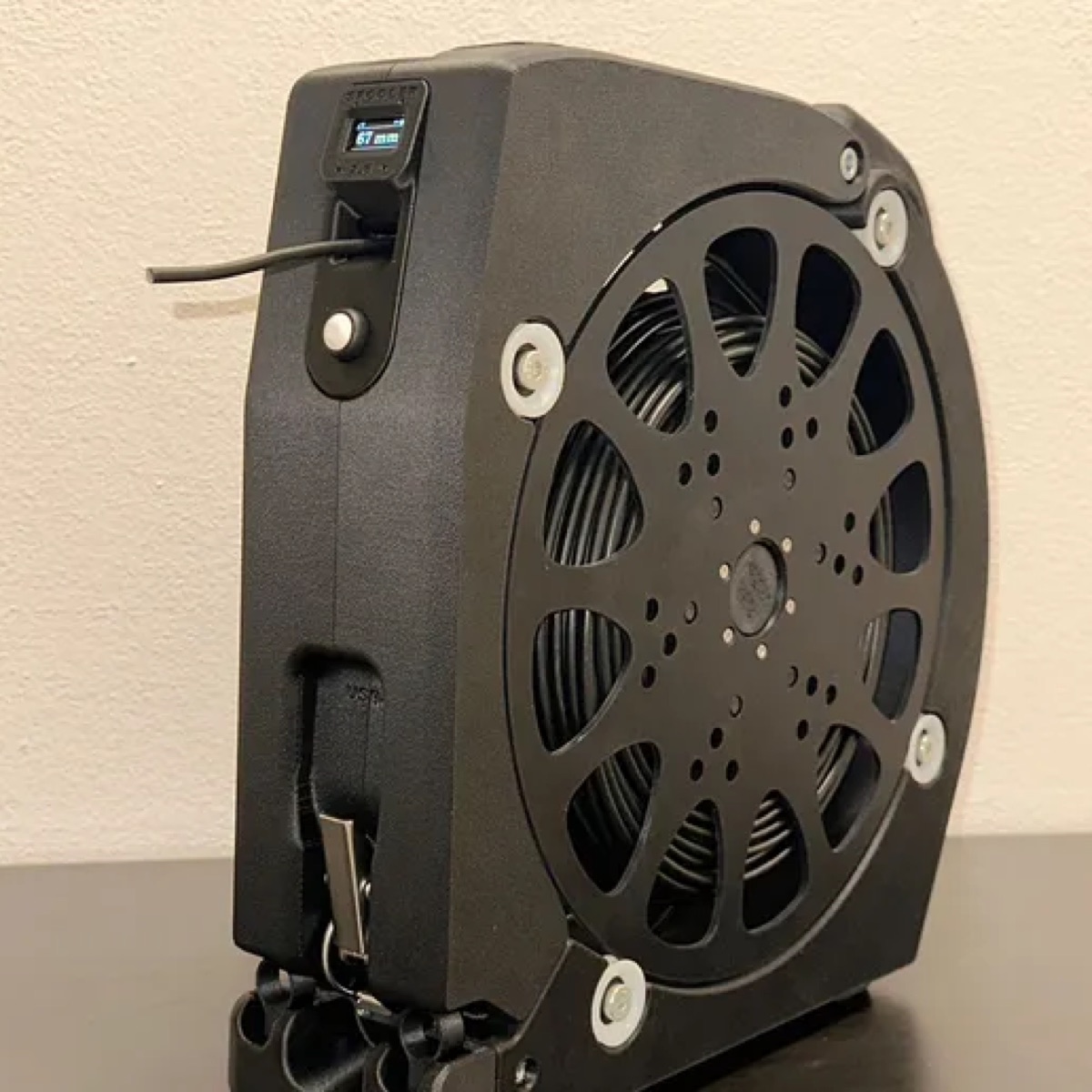
The Spooler Smart guide (with electronics) and the spool.
- Guide and files for Spooler Smart
- Complete bill of materials and wiring of the electronics
- Spool, body and pass-through head
Includes: Spooler Smart
Build guide
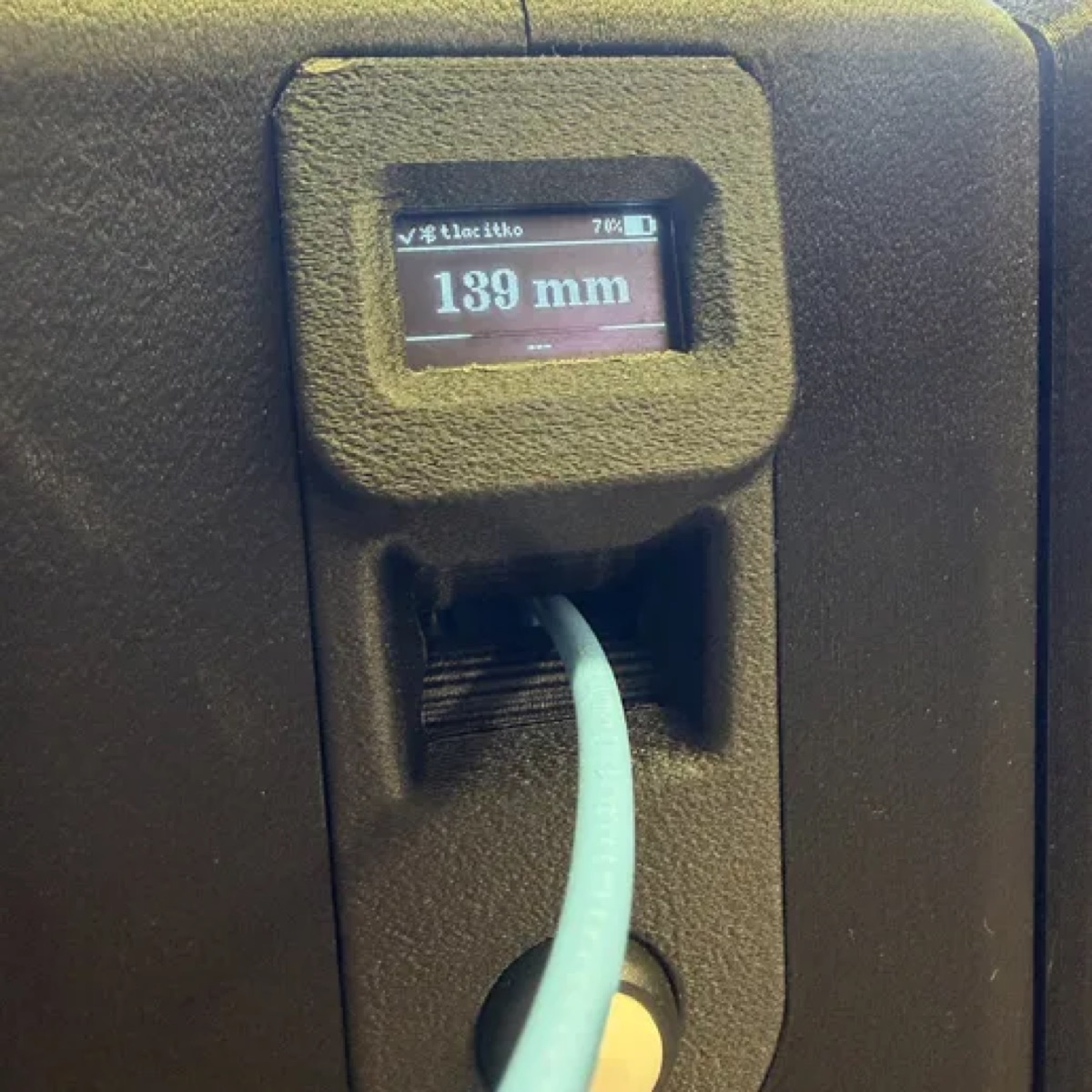
A measuring unwinder with display, AS5600 sensor and control board.
🔒 Assembly guide (PDF)🔒 All files (ZIP)
The guide is free to read. The downloads (STL, DXF, STEP, PDF, ZIP) and the assembly videos open after you buy this guide or the bundle.
The Spooler Smart guide (with electronics) and the spool.
Includes: Spooler Smart
The bundle of all guides at a discount: Spooler Lite and Spooler Smart, and the spool. What you already own is deducted.
Includes: Spooler Lite + Spooler Smart
Assembly guide (PDF)
printable guide, all chapters
All files (ZIP)
guide, 3D models, files and videos
3D models Spooler Smart (STL)
20 parts: body, head with electronics, rollers (the spool parts are in the spool guide)
| Qty | Item | Category | Note |
|---|---|---|---|
| 4 | Screw M4x10 | Screws | Latch 2, catch 2 |
| 8 | Screw M5x16, countersunk head | Screws | Packout holders |
| 2 | Screw M5x20 | Screws | Bases |
| 3 | Screw M5x50 | Screws | Joins the arms |
| 8 | Screw M8x20 | Screws | 4 axes, 2 screws per axis |
| 16 | Washers 8x12 and 8x16 | Screws | 8 + 8, each end of 4 axes |
| 4 | Insert M4 | Inserts | Latch and catch |
| 9+ | Insert M5 | Inserts | |
| 8 | Bearing 608-2RS | Mechanics | 4 axes, 2 bearings per axis |
| 4 | Axis M8 aluminium, 71 mm | Mechanics | Roller, lathe |
| 1 | Draw latch K2469 + catch K2468 | Mechanics | Kipp |
| 6 | Screw M3x10, countersunk head | Screws | Battery lid |
| 2 | Screw M3x10, cheese head | Screws | PUSHER-CLAMP |
| 1 | Screw M4x40 | Screws | Encoder wheel |
| 1 | Screw M6x20 | Screws | Spring housing |
| 8 | Plastic screw 2.2x5 | Screws | Display and AS5600 |
| 2 | Nut M4, self-locking | Screws | Encoder wheel |
| 8 | Insert M3 | Inserts | Battery 4, arms 2, pusher 2 |
| 1 | Insert M6 | Inserts | Spring housing |
| 4 | Bearing 624-2Z | Mechanics | Pusher 2, encoder 2 |
| 1 | Spring (11.5 x 5.2 mm) | Mechanics | Pusher |
| 1 | Axis 4x40 stainless | Mechanics | Pusher roller |
| 1 | Spooler B control board (ESP32-C3) | Electronics | 75 × 28 mm, 76 components |
| 1 | AS5600 board with magnet | Electronics | Encoder |
| 1 | OLED display 0.96", 4 pins | Electronics | |
| 1 | Panel button | Electronics | |
| 1 | 18650 / 26650 battery holder + cell | Electronics |
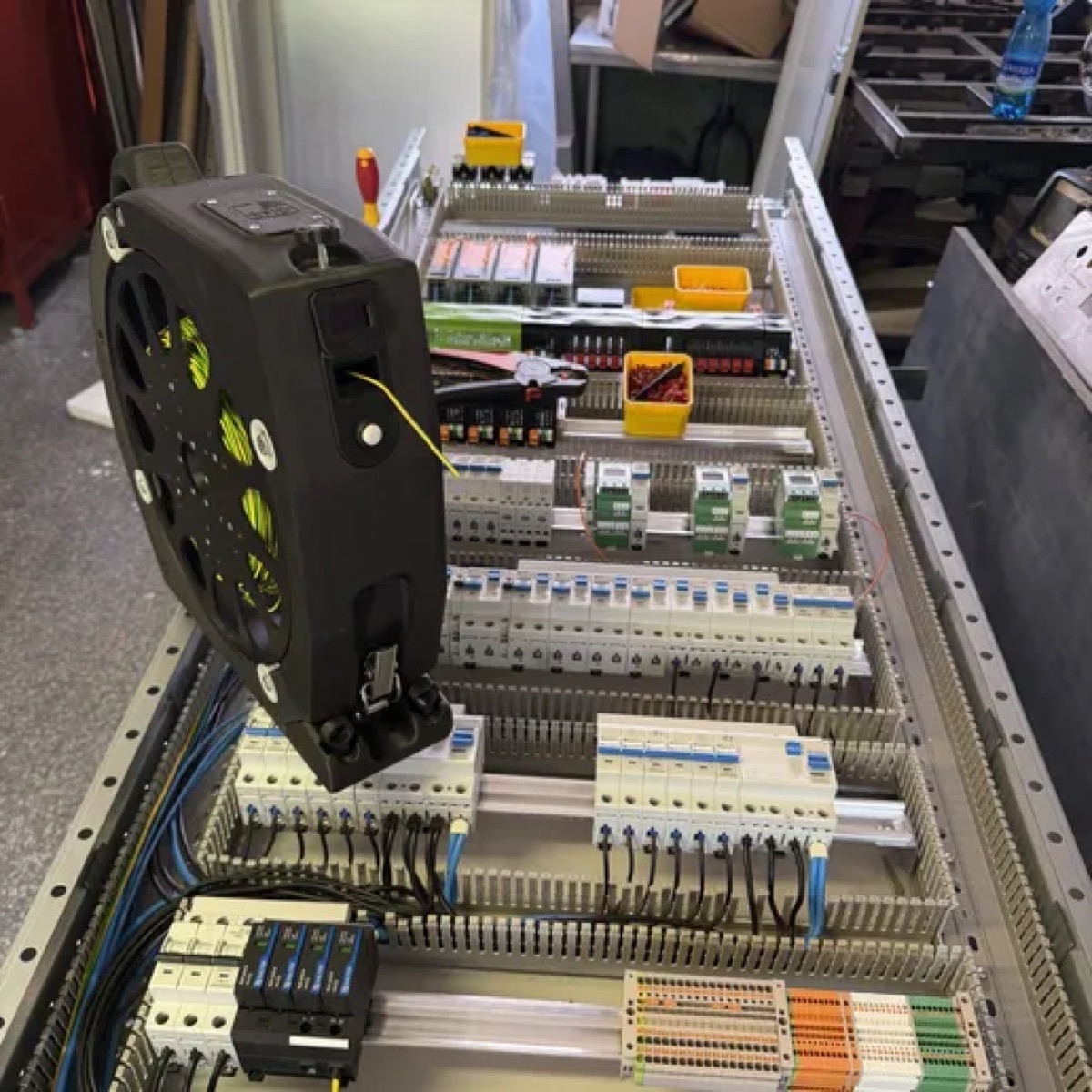
Spooler measures and dispenses cable, keeps track of your stock and records the history of the measurements. You control it from an app for Android or Apple. You print most of the parts on a 3D printer; the rest are turned and laser-cut parts, threaded inserts and bought components such as screws and washers. You can print in ASA-CF or in material of the Spectrum brand. You can buy the electronics and the turned and laser-cut parts in the e-shop.
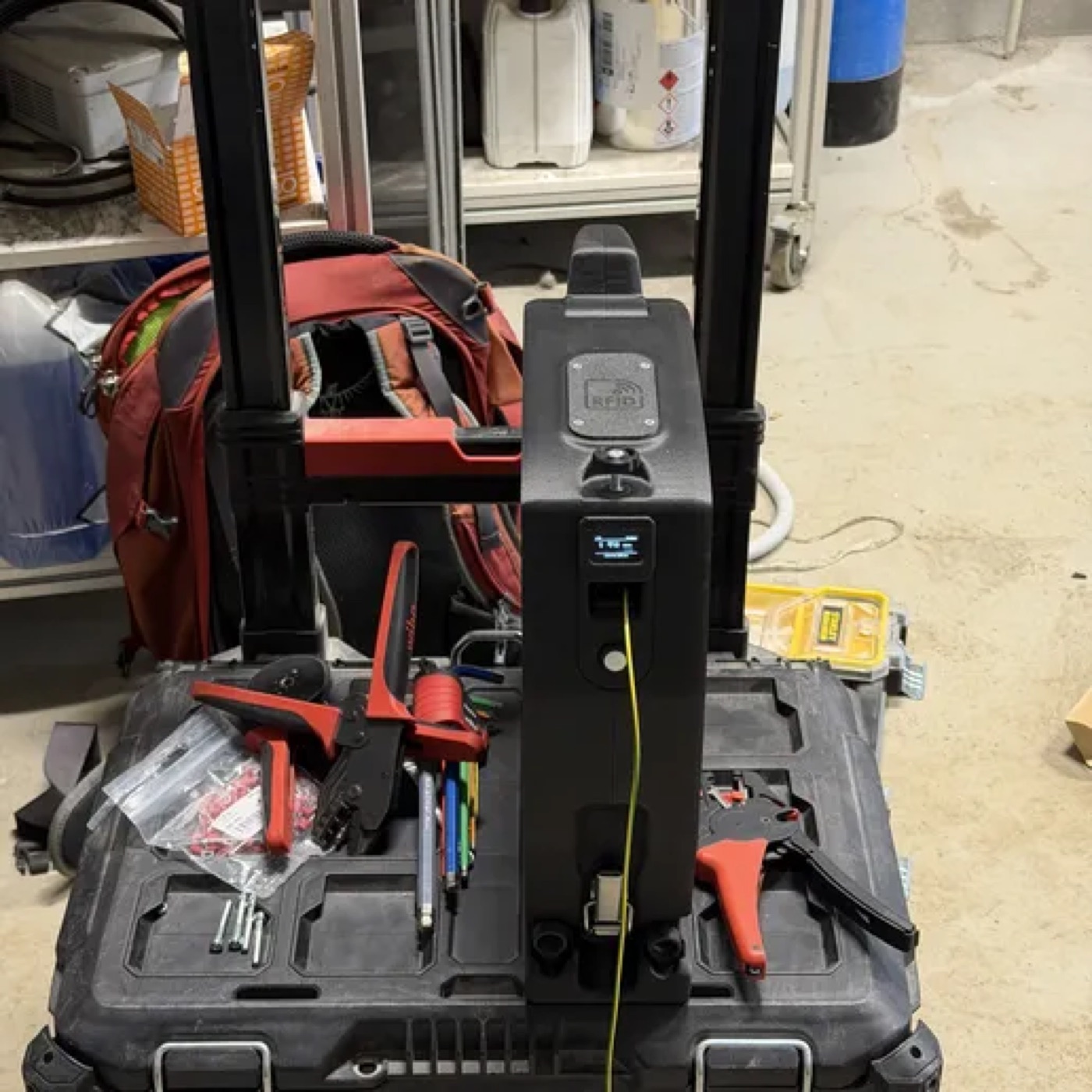
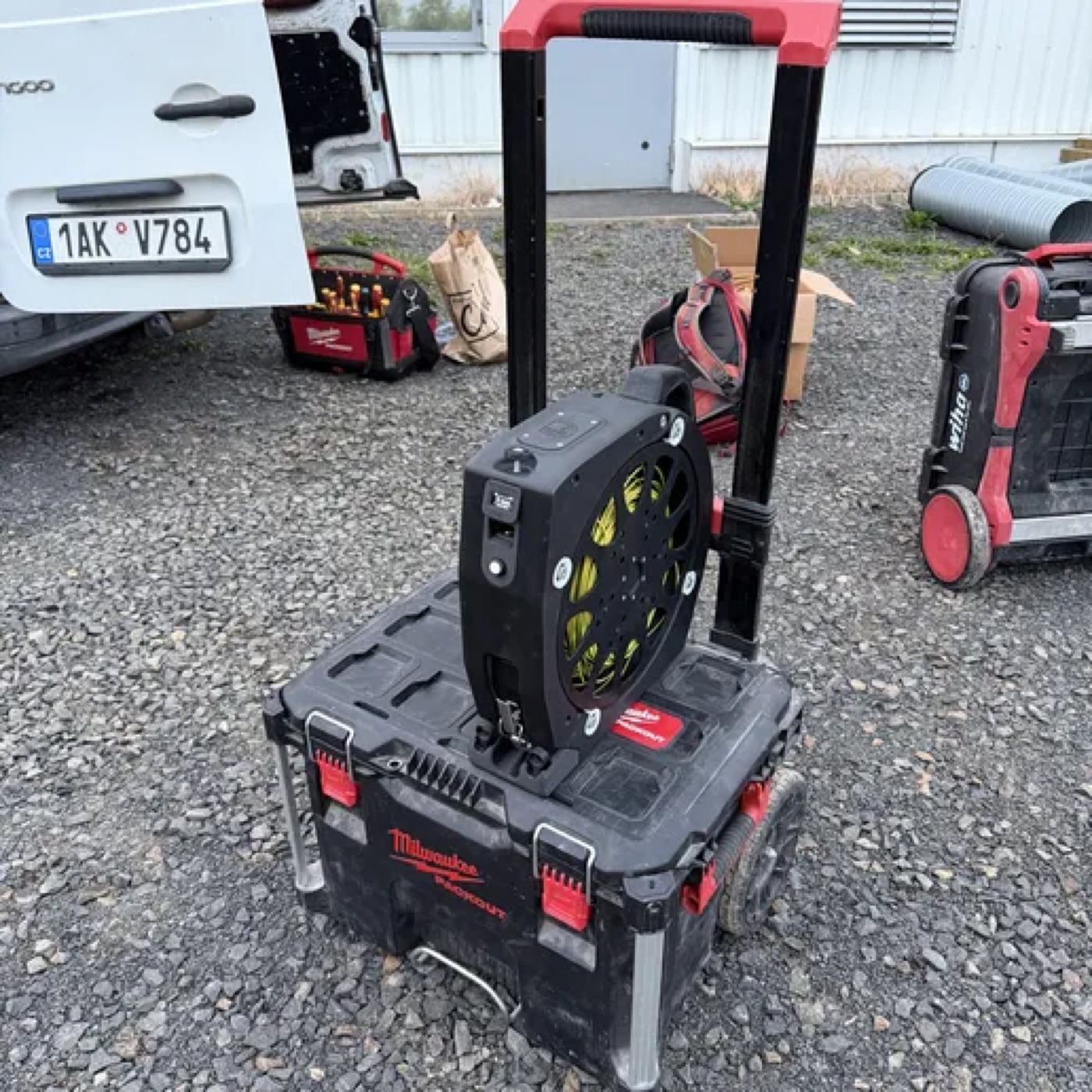
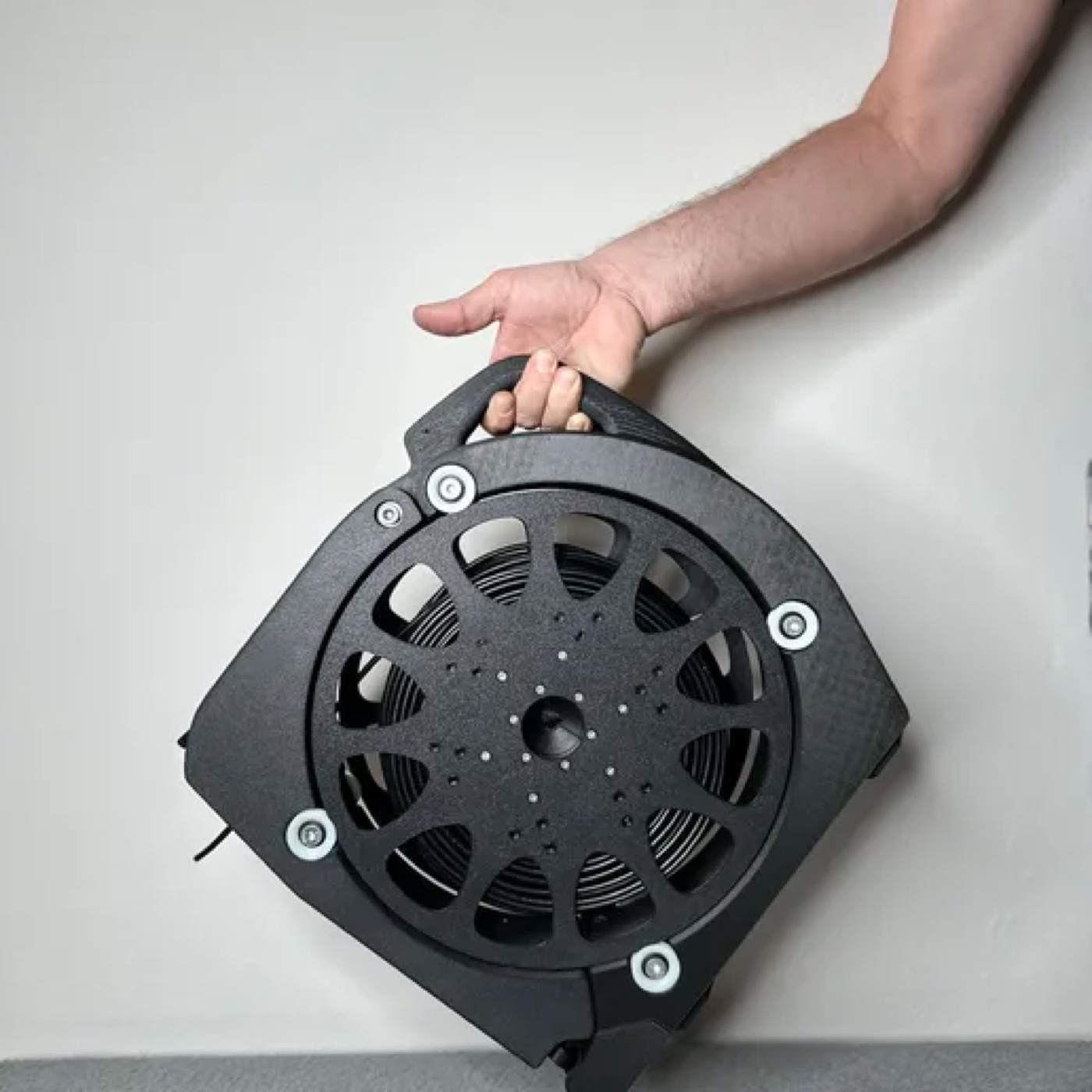
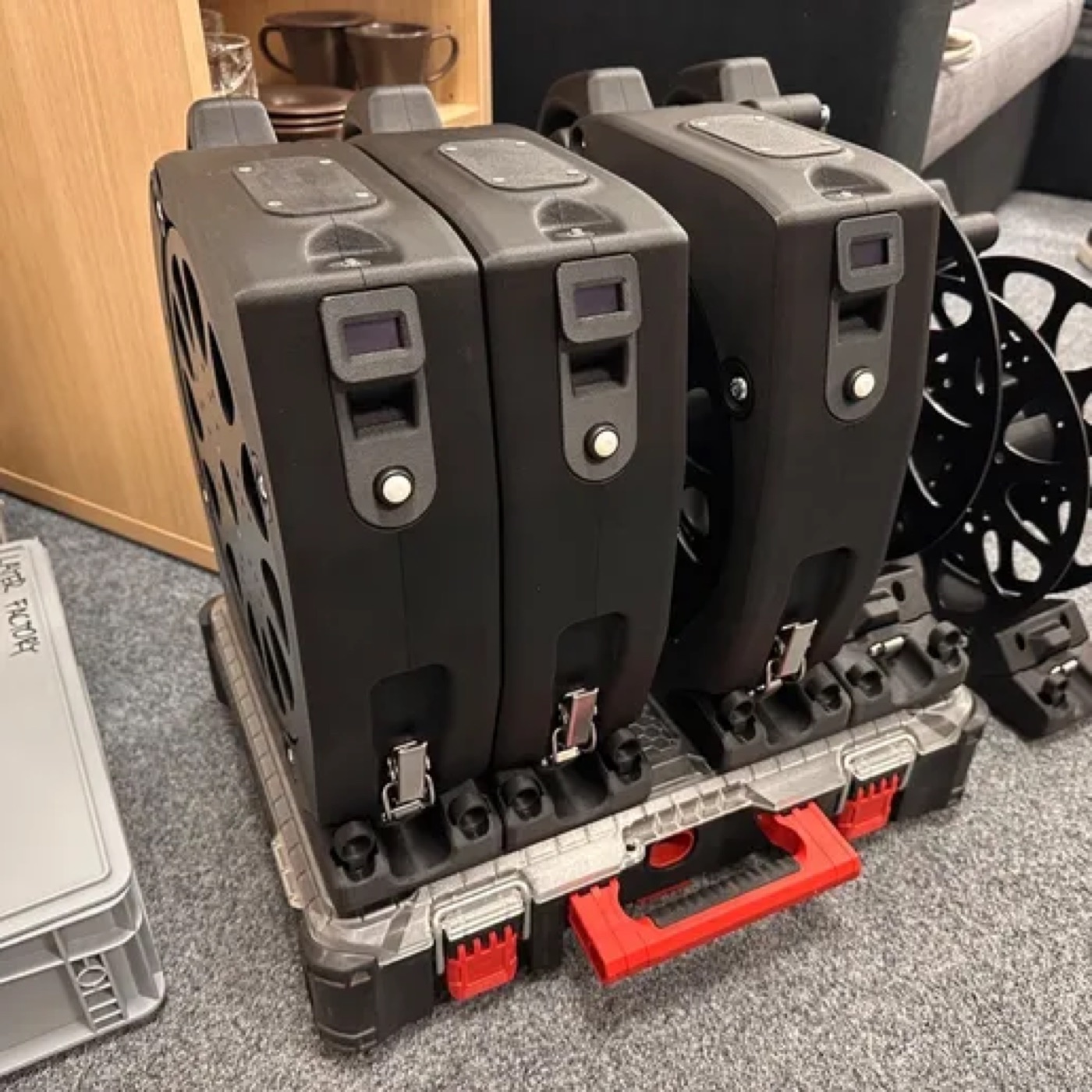
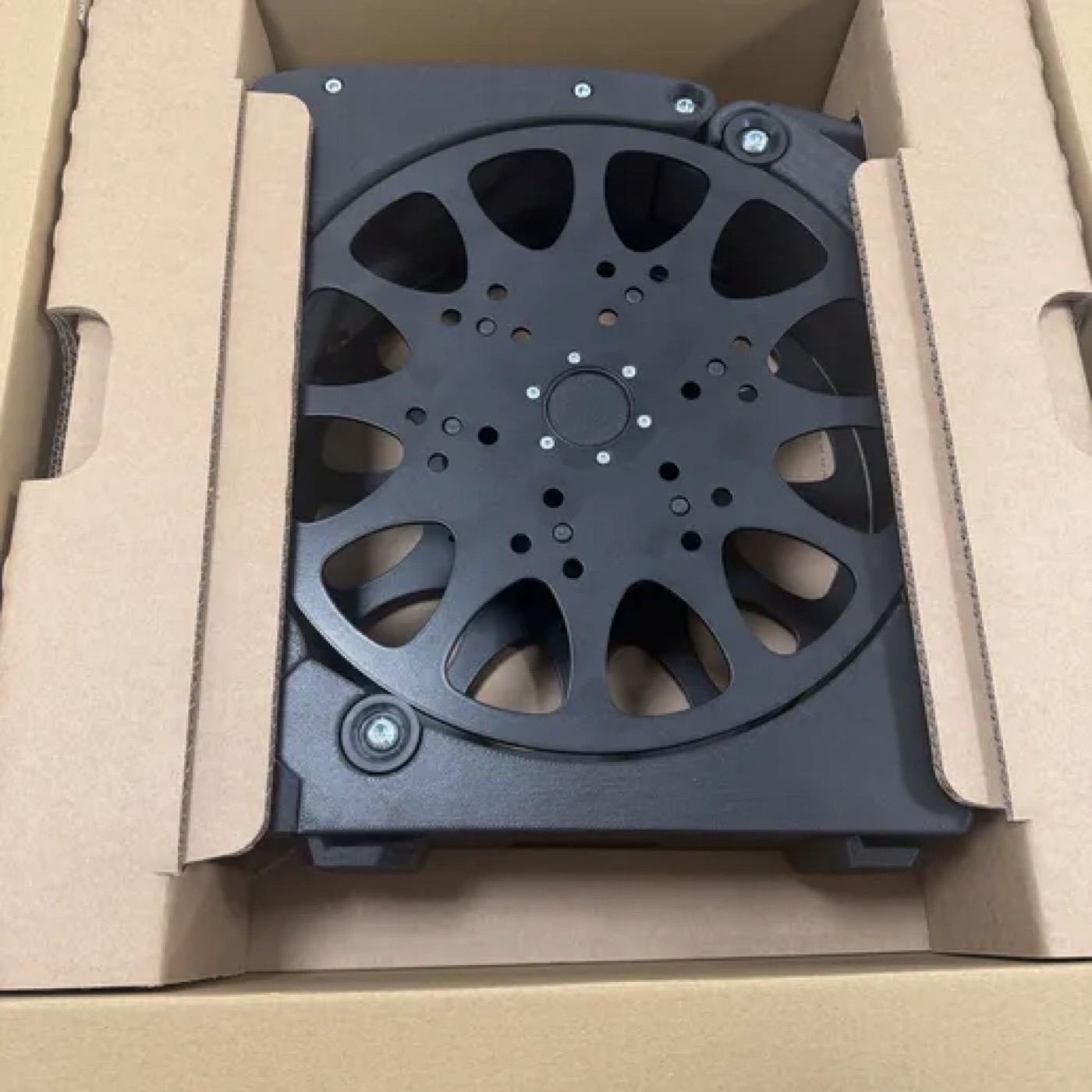
The spool has a guide of its own and is built separately.
You can buy the electronics (the assembled control board, the display and the sensor) ready-made in our e-shop, as well as the turned and laser-cut parts.
All STL models (ZIP) (3.6 MB) · 🔒 after you buy the guide
| Part | Made by | Note |
|---|---|---|
| 02-01-030d-BASE-LEFT🔒 after you buy the guide | 3D print | |
| 02-01-031d-BASE-RIGHT🔒 after you buy the guide | 3D print | |
| 02-01-032d-ARM-LEFT🔒 after you buy the guide | 3D print | arm, Spooler Smart |
| 02-01-033d-ARM-RIGHT🔒 after you buy the guide | 3D print | arm, Spooler Smart |
| 02-01-035d-BASE-FRONT🔒 after you buy the guide | 3D print | |
| 02-01-040-Milwaukee_Packout🔒 after you buy the guide | 3D print | Packout holder |
| 02-01-041-RYGL-L🔒 after you buy the guide | 3D print | |
| 02-01-046d-BATERY-LID🔒 after you buy the guide | 3D print | battery lid |
| 02-01-061-CLIP_BASE-M4-assy🔒 after you buy the guide | 3D print | latch base |
| Part | Made by | Note |
|---|---|---|
| 02-01-007-SPRING HOUSING-M6🔒 after you buy the guide | 3D print | |
| 02-01-010-ENCODER-SPACER🔒 after you buy the guide | 3D print | |
| 02-01-011d-ENCODER-BASE🔒 after you buy the guide | 3D print | |
| 02-01-012a-ENCODER-VALEC-A🔒 after you buy the guide | 3D print | |
| 02-01-013-MAGNET-HOLDER🔒 after you buy the guide | 3D print | |
| 02-01-015-PUSHER-CLAMP🔒 after you buy the guide | 3D print | |
| 02-01-016a-PUSHER🔒 after you buy the guide | 3D print | |
| 02-01-018-PUSH-CYLINDER🔒 after you buy the guide | 3D print | |
| 02-01-105-BOARD_HOLDER🔒 after you buy the guide | 3D print |
| Part | Made by | Note |
|---|---|---|
| 02-01-020a-ROLL🔒 after you buy the guide | lathe | nylon, or printed |
| 02-01-021-AXIS M8x15🔒 after you buy the guide | lathe | axis, aluminium |
Most joints use plastic threaded inserts (M3, M4, M5, M6). Press them in before you screw the parts together, always into the part named in the drawing next to the insert. The numbers are given with each assembly below.
Next you build the head, the rollers, the body and wire the electronics.
Read this page before you start printing and assembling. It saves you the most common mistakes.
The head measures the length of the cable. The cable passes between a knurled wheel with a magnet and a pressure roller. The AS5600 sensor reads the rotation of the magnet.
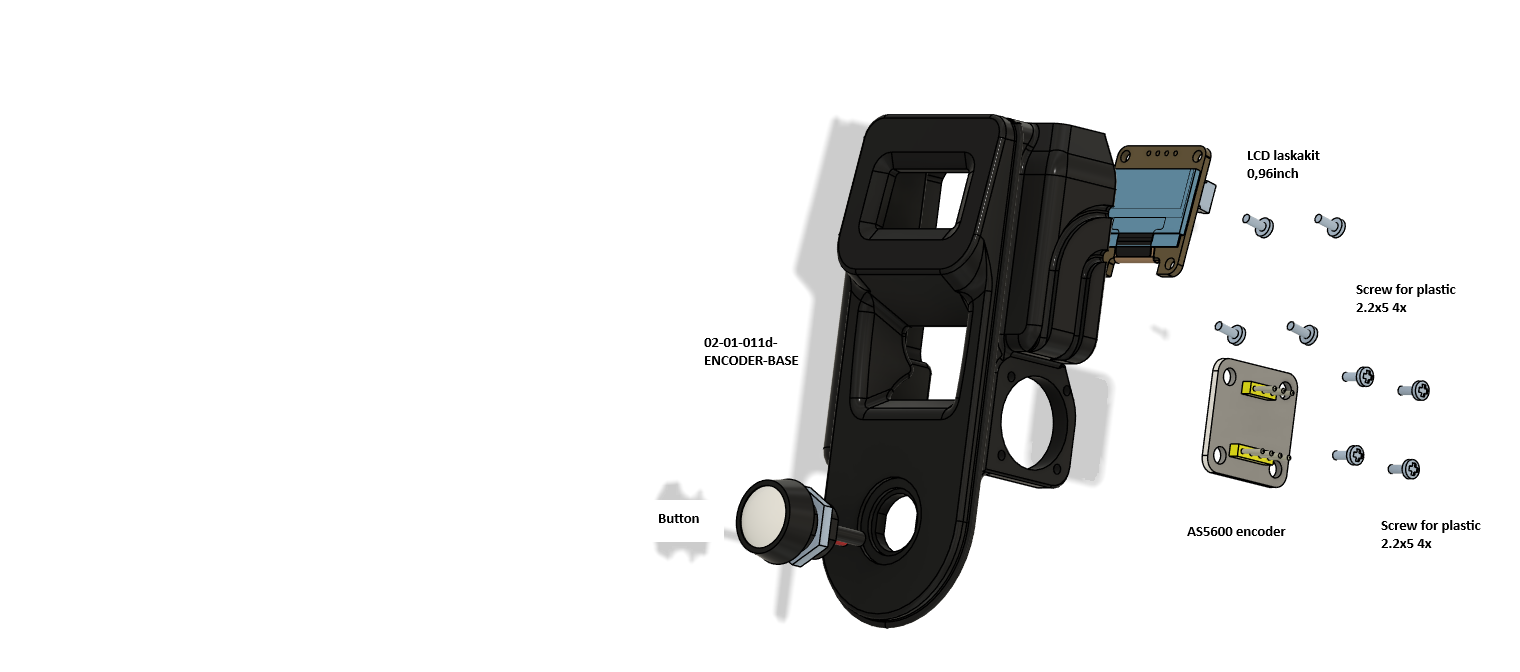
| Qty | Part | Note |
|---|---|---|
| 1 | 02-01-011d-ENCODER-BASE | |
| 1 | Display 0.96", Laskakit | OLED, 4-pin connector |
| 1 | AS5600 board (sensor) | 5-pin connector on the board |
| 1 | Button | Into the bottom hole, nut from behind |
| 8 | Plastic screw 2.2x5 | 4 for the display, 4 for the AS5600 |
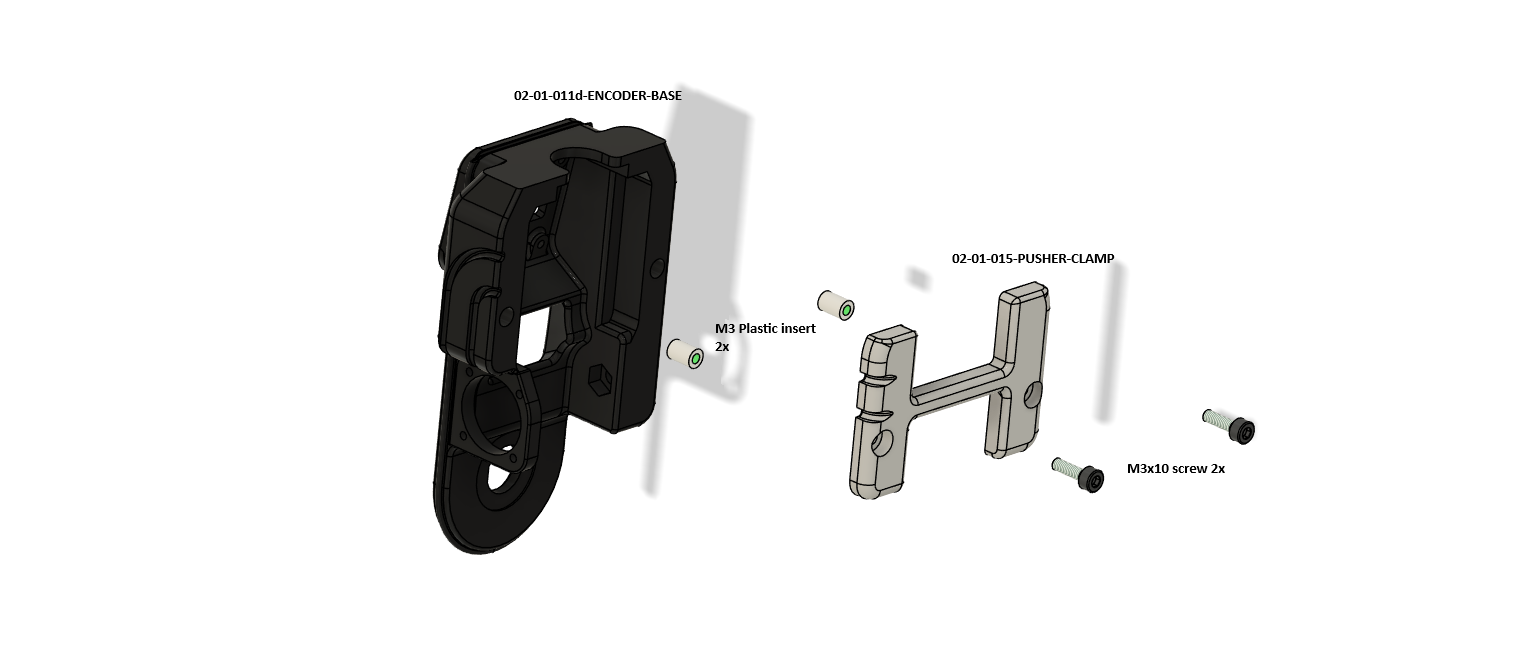
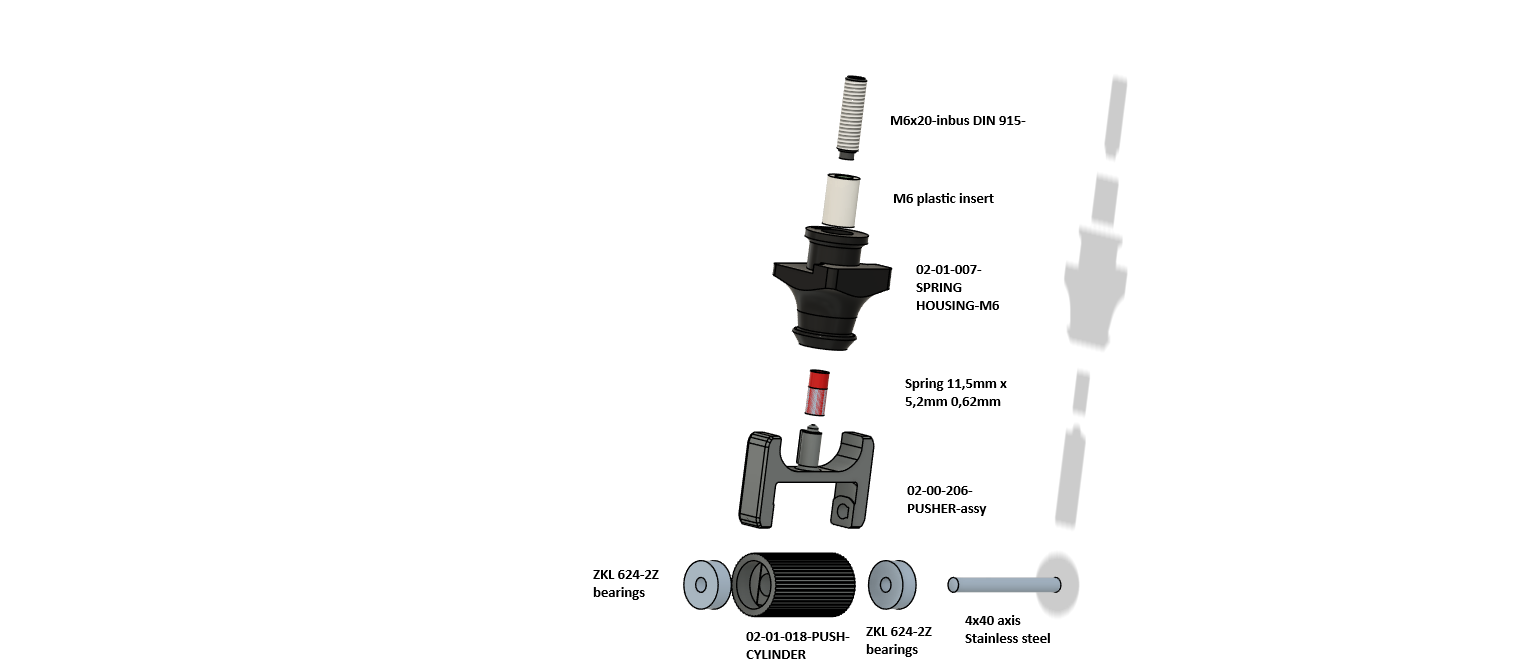
| Qty | Part | Note |
|---|---|---|
| 1 | 02-00-206-PUSHER-assy (02-01-016a-PUSHER) | Fork |
| 1 | 02-01-018-PUSH-CYLINDER | Pressure roller |
| 2 | Bearing ZKL 624-2Z | |
| 1 | Axis 4x40, stainless | |
| 1 | 02-01-007-SPRING HOUSING-M6 | Spring housing |
| 1 | Spring 11.5 x 5.2 mm, wire 0.62 mm | |
| 1 | M6 insert + screw M6x20 (DIN 915 in the drawing) | Adjusts the pressure |
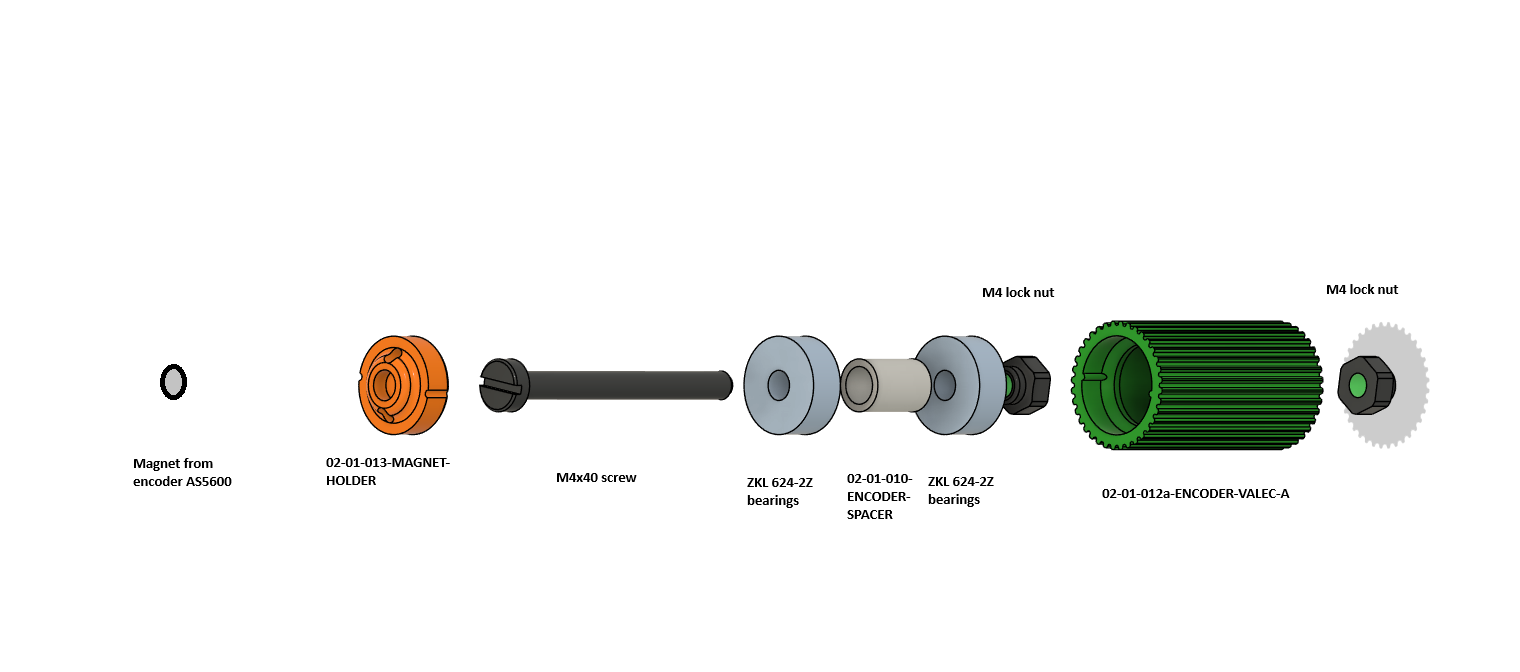
| Qty | Part | Note |
|---|---|---|
| 1 | 02-01-012a-ENCODER-VALEC-A | Knurled wheel (green) |
| 1 | 02-01-010-ENCODER-SPACER | Spacer tube between the bearings |
| 2 | Bearing ZKL 624-2Z | |
| 1 | 02-01-013-MAGNET-HOLDER | Magnet holder (orange) |
| 1 | Magnet from the AS5600 | Ring magnet, supplied with the board |
| 1 | Screw M4x40 | |
| 2 | Nut M4, self-locking |
The rollers carry the spool: the spool sides sit in them and the spool turns on them. They are the same in both versions of the device. There are eight in every device. One assembly is made of an aluminium axis, two 608 bearings and two rollers, so the device needs four assemblies, that is four axes. The axis is turned, 71 mm long, with an M8 thread 15 mm long at both ends.
| Qty | Part | Note |
|---|---|---|
| 2 (8 in all) | 02-01-020a-ROLL | Roller. Turned from nylon, printed, or from the e-shop |
| 1 (4 in all) | 02-01-021-AXIS M8x15 | Aluminium, 71 mm, M8 x 15 thread at both ends |
| 2 (8 in all) | Bearing ZKL 608-2RS | |
| 2 (8 in all) | Washer 8x12 | As in the drawing, on each side |
| 2 (8 in all) | Washer 8x16 | |
| 2 (8 in all) | Screw M8x20 |

On each end of the axis put a washer 8x12 and a washer 8x16, then a bearing 608-2RS.
Put a roller ROLL on each bearing. The roller must turn freely on the bearing.
Secure the assembly from both sides with an M8x20 screw into the thread at the end of the axis.
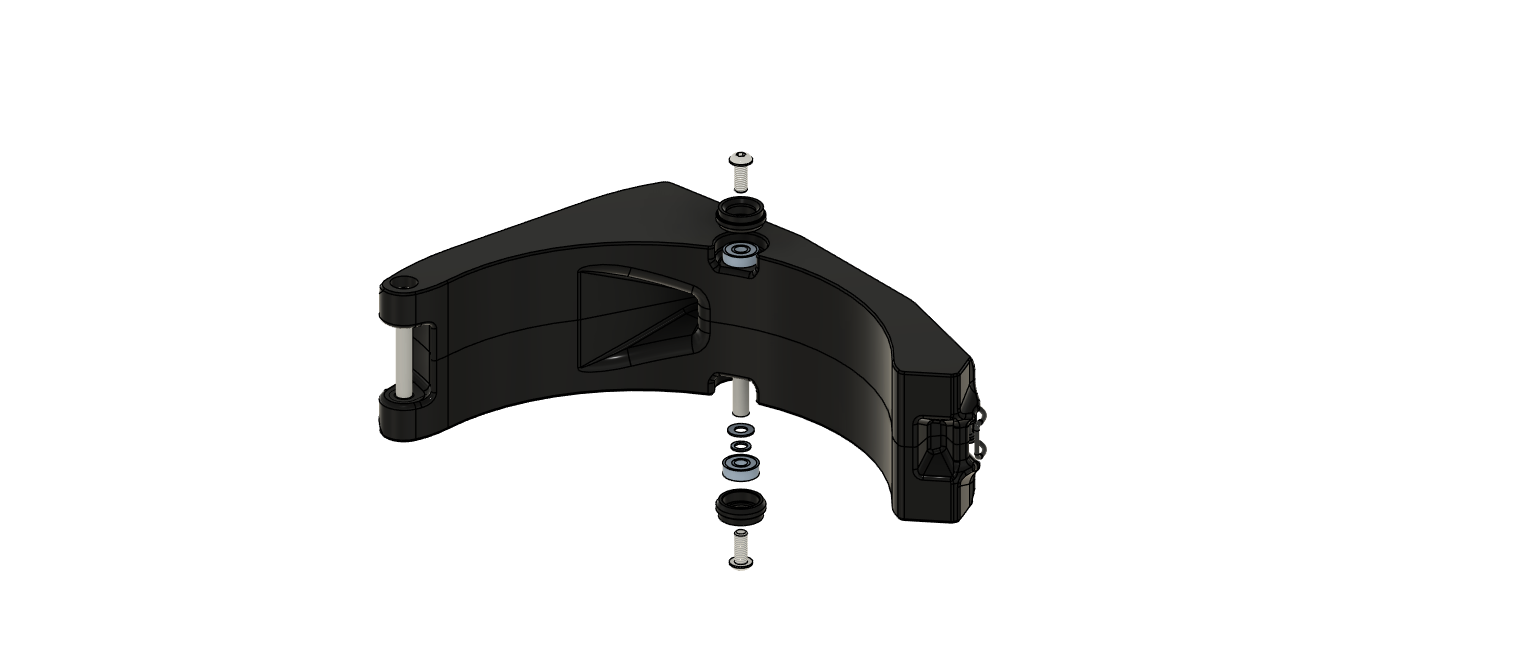
Put the finished assembly into the arm as in the picture. Check that both rollers turn freely.
The body is made of two halves of the arms with a base, a front part and holders. The procedure has five steps.
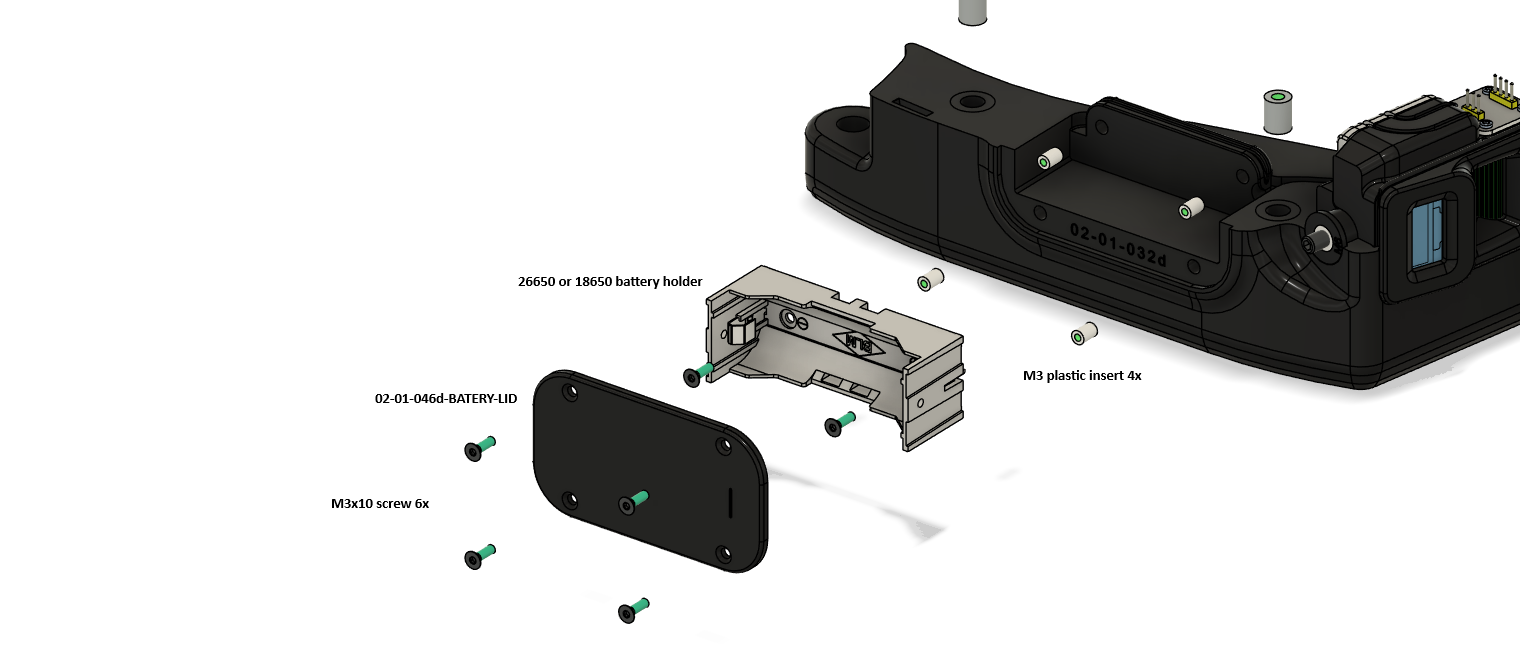
| Qty | Part | Note |
|---|---|---|
| 1 | Battery holder 26650 or 18650 | |
| 1 | 02-01-046d-BATERY-LID | Lid |
| 4 | M3 insert | |
| 6 | M3x10 screw | As in the drawing |
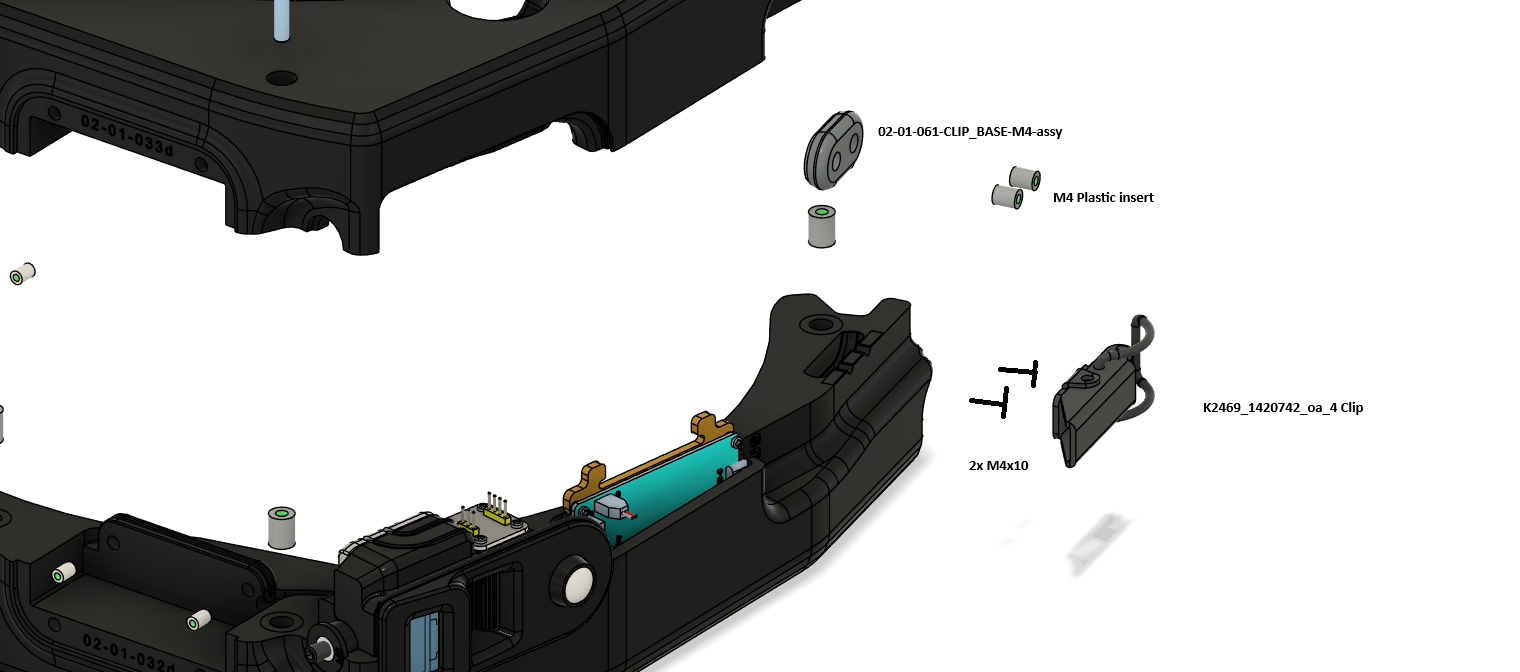
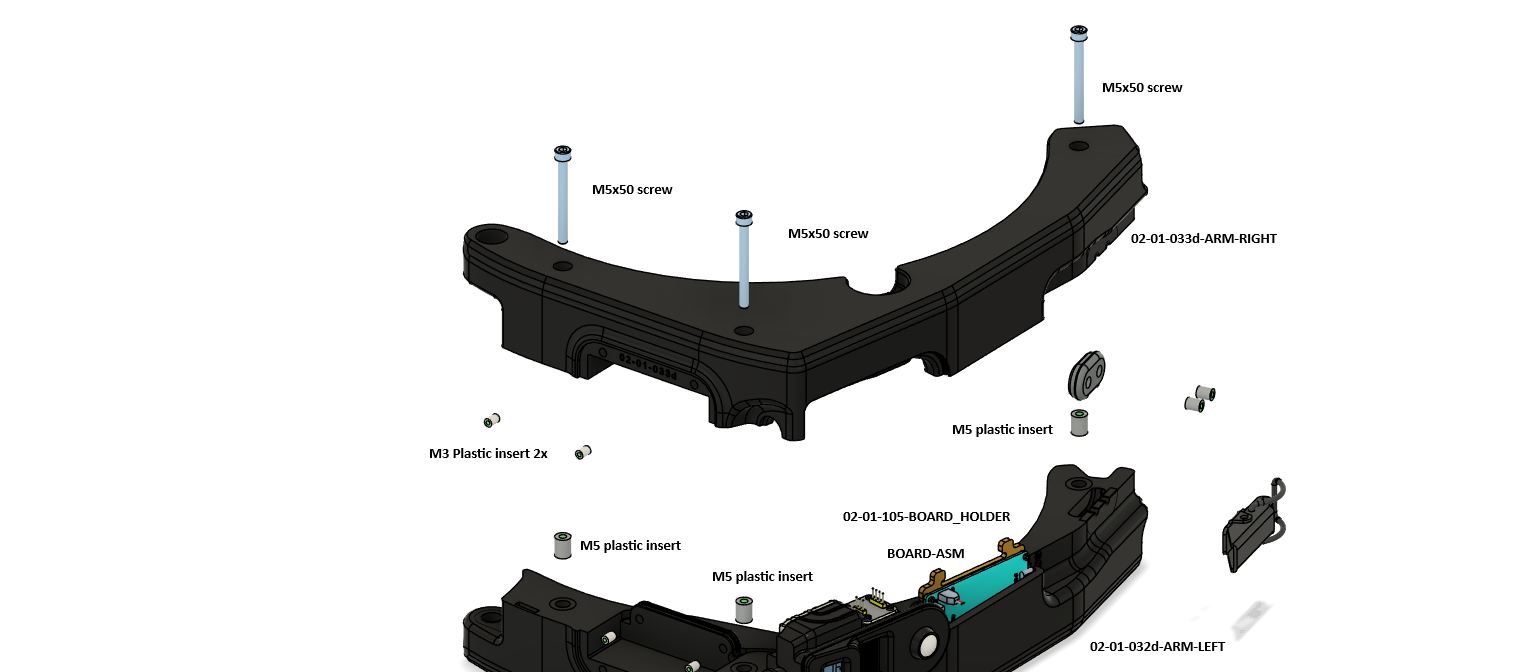
| Qty | Part | Note |
|---|---|---|
| 1 | 02-01-032d-ARM-LEFT | |
| 1 | 02-01-033d-ARM-RIGHT | |
| 1 | 02-01-105-BOARD_HOLDER with the board (BOARD-ASM) | See the chapter Electronics |
| 3 | Screw M5x50 | |
| 2 | M3 insert | |
| 2 | M5 insert | As in the drawing |
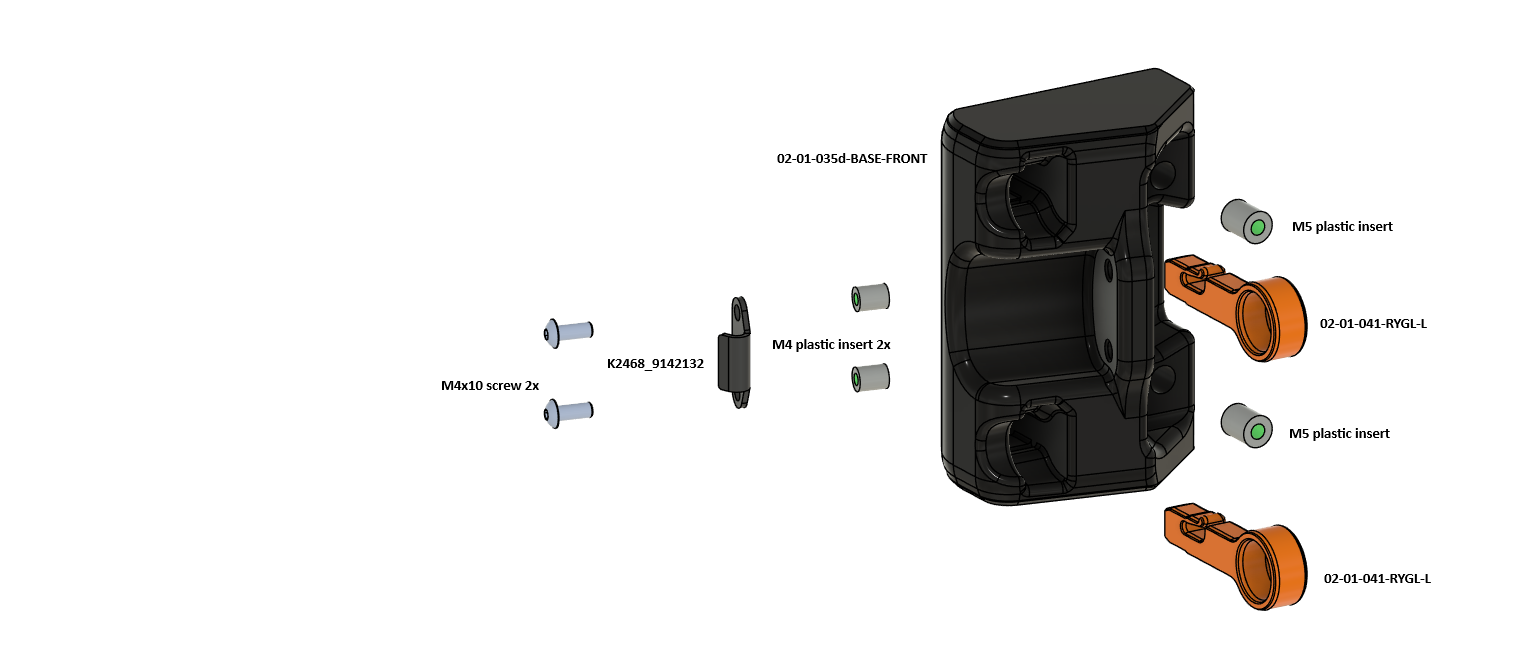
| Qty | Part | Note |
|---|---|---|
| 1 | 02-01-035d-BASE-FRONT | |
| 2 | 02-01-041-RYGL-L | Orange |
| 2 | M5 insert | For RYGL-L |
| 2 | M4 insert | For the catch |
| 1 | K2468_9142132 (catch) | See Buying |
| 2 | M4x10 screw |
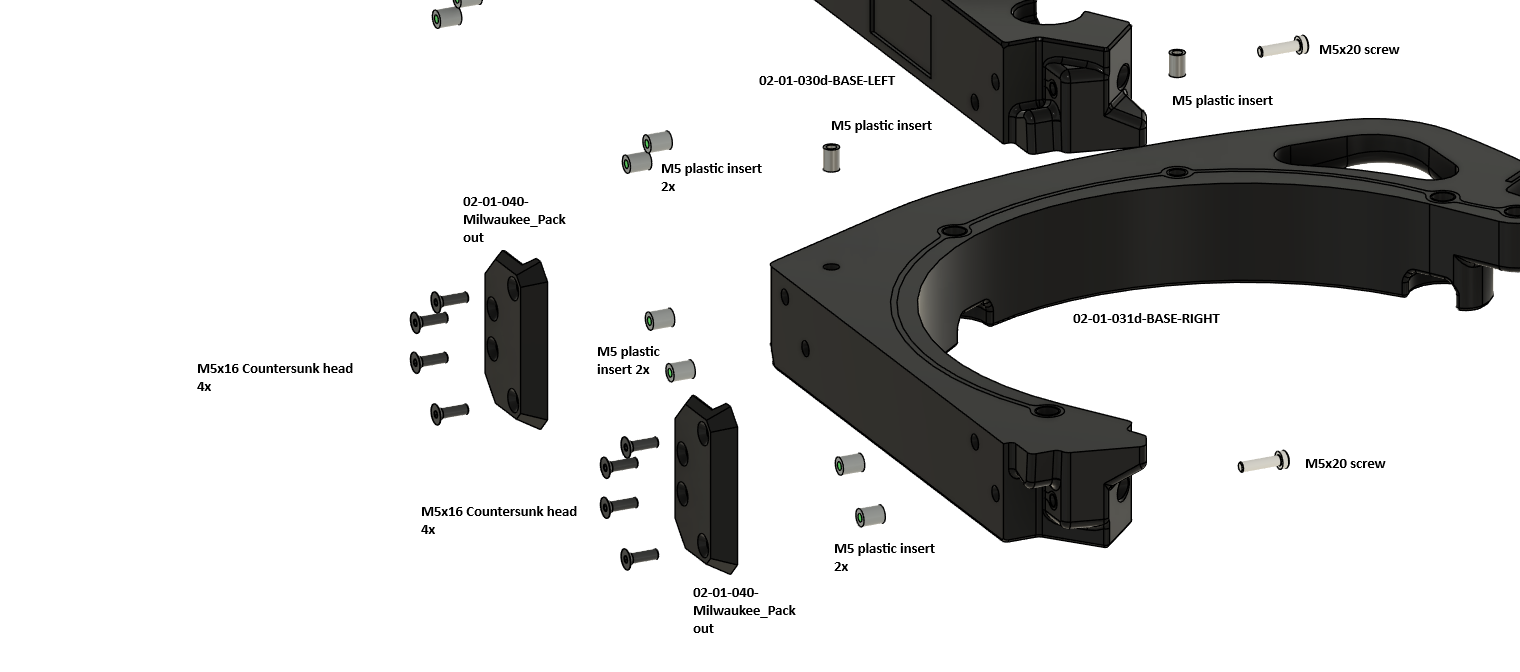
| Qty | Part | Note |
|---|---|---|
| 1+1 | 02-01-030d-BASE-LEFT, 02-01-031d-BASE-RIGHT | |
| 2 | 02-01-040-Milwaukee_Packout | Each to its base |
| 8 | M5x16 countersunk screw | 4 for each holder |
| 2 | Screw M5x20 | Joining the bases |
The control board carries the ESP32, the buzzer and the USB-C. Four connectors are plugged into the board.
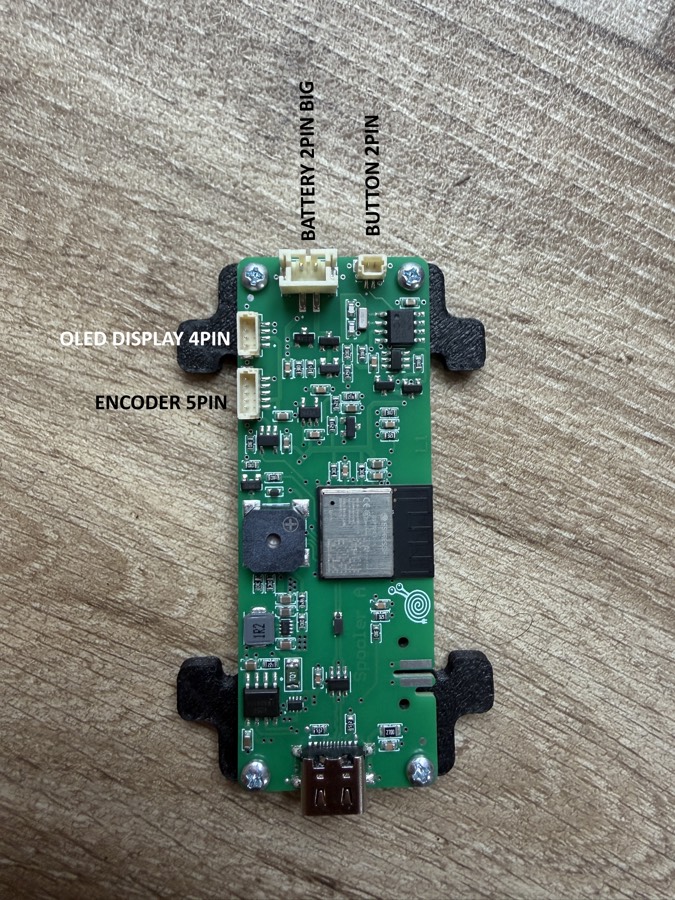
| Connector | Pins | Connects to |
|---|---|---|
| BATTERY | 2, large | Battery holder 18650 / 26650 |
| BUTTON | 2 | The button in the encoder head |
| OLED DISPLAY | 4 | Display 0.96" |
| ENCODER | 5 | The AS5600 board |
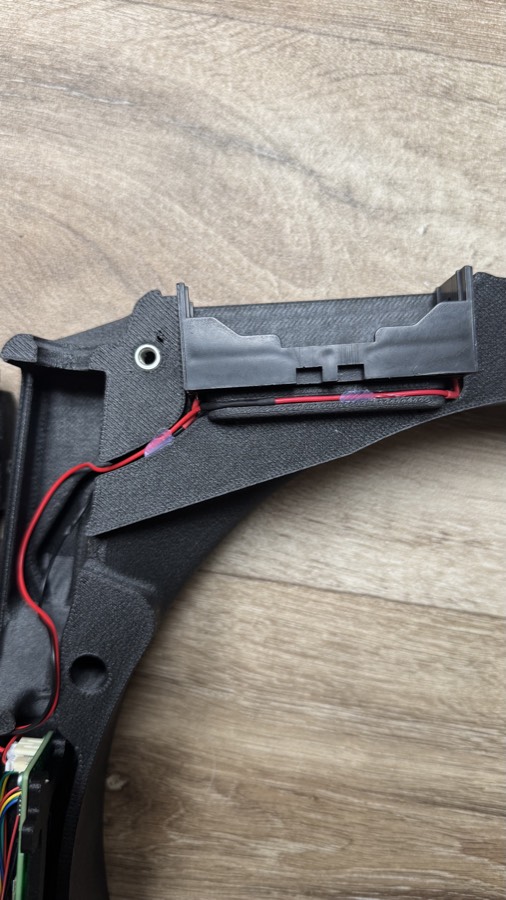
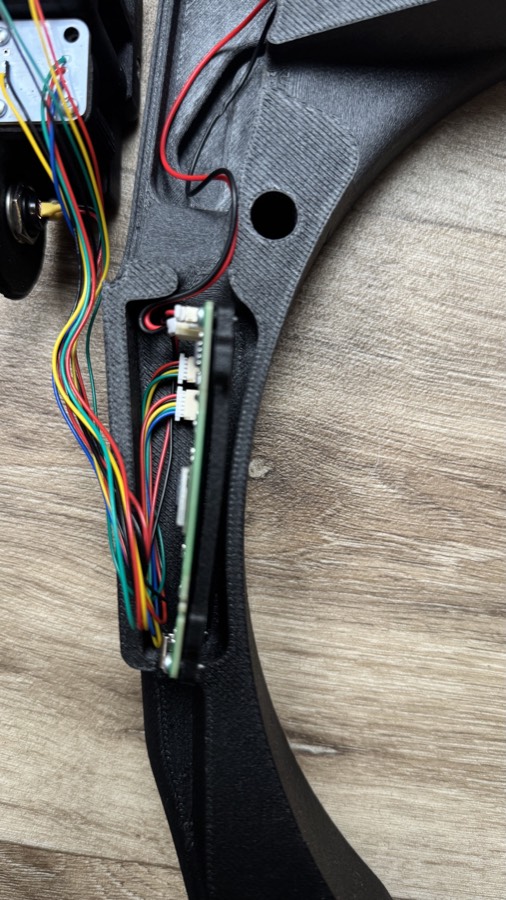
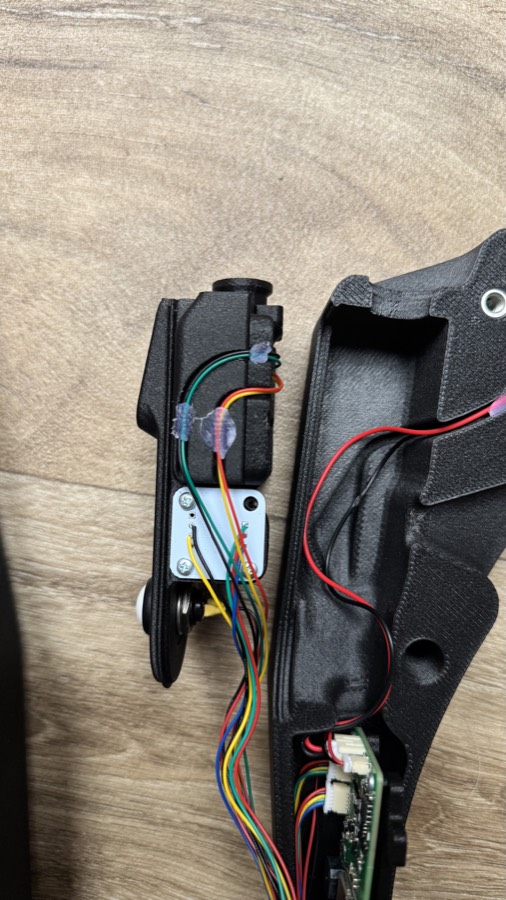
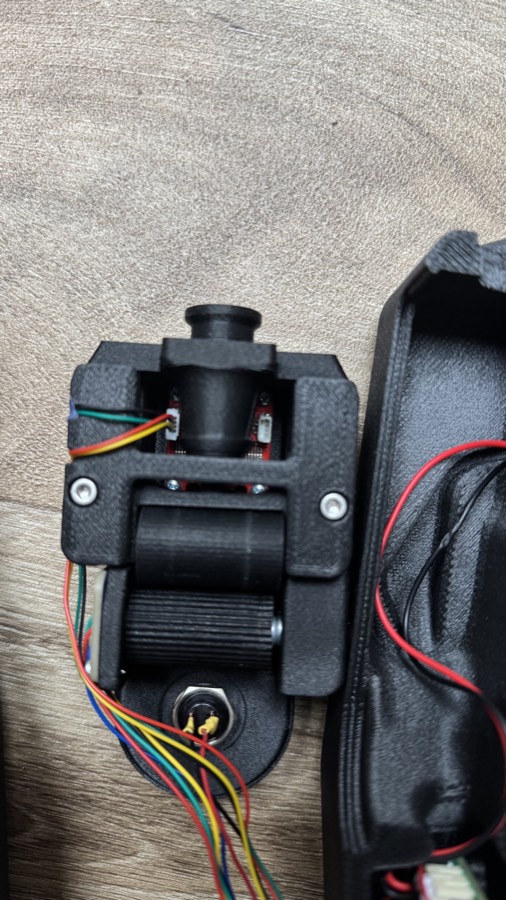
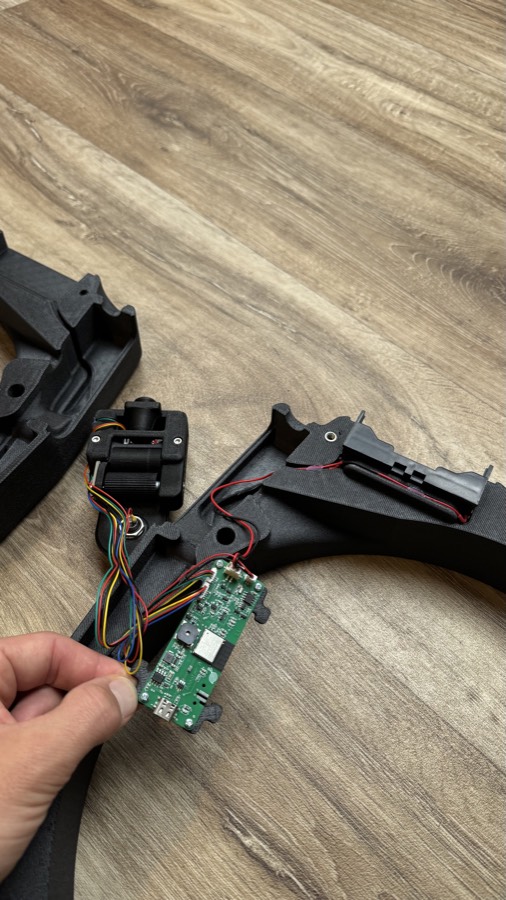
You can buy the ready-made electronics (the assembled control board, the display and the AS5600 sensor) and the turned and laser-cut parts in our e-shop. The rollers and the spool sides are there too. What is left are ordinary fasteners and these components:
| Part | Note |
|---|---|
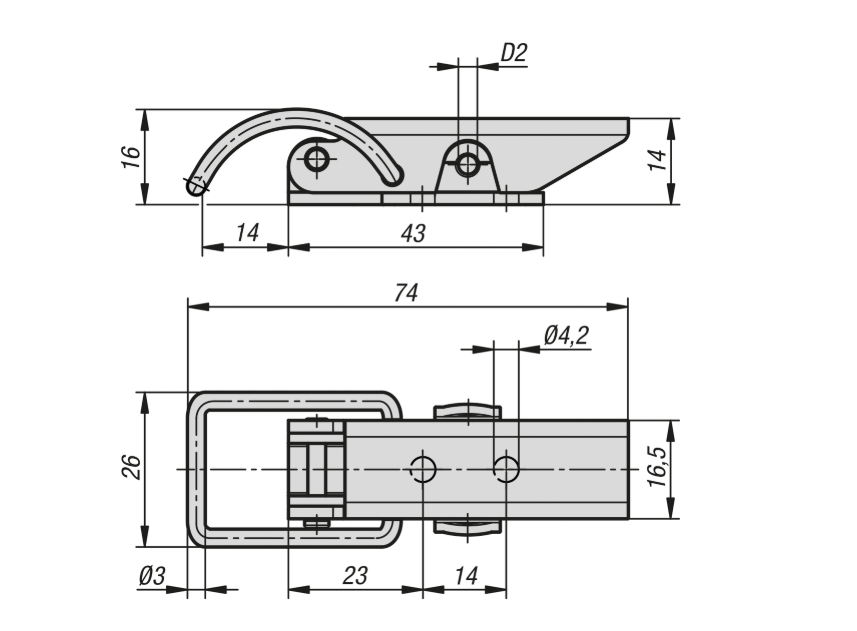
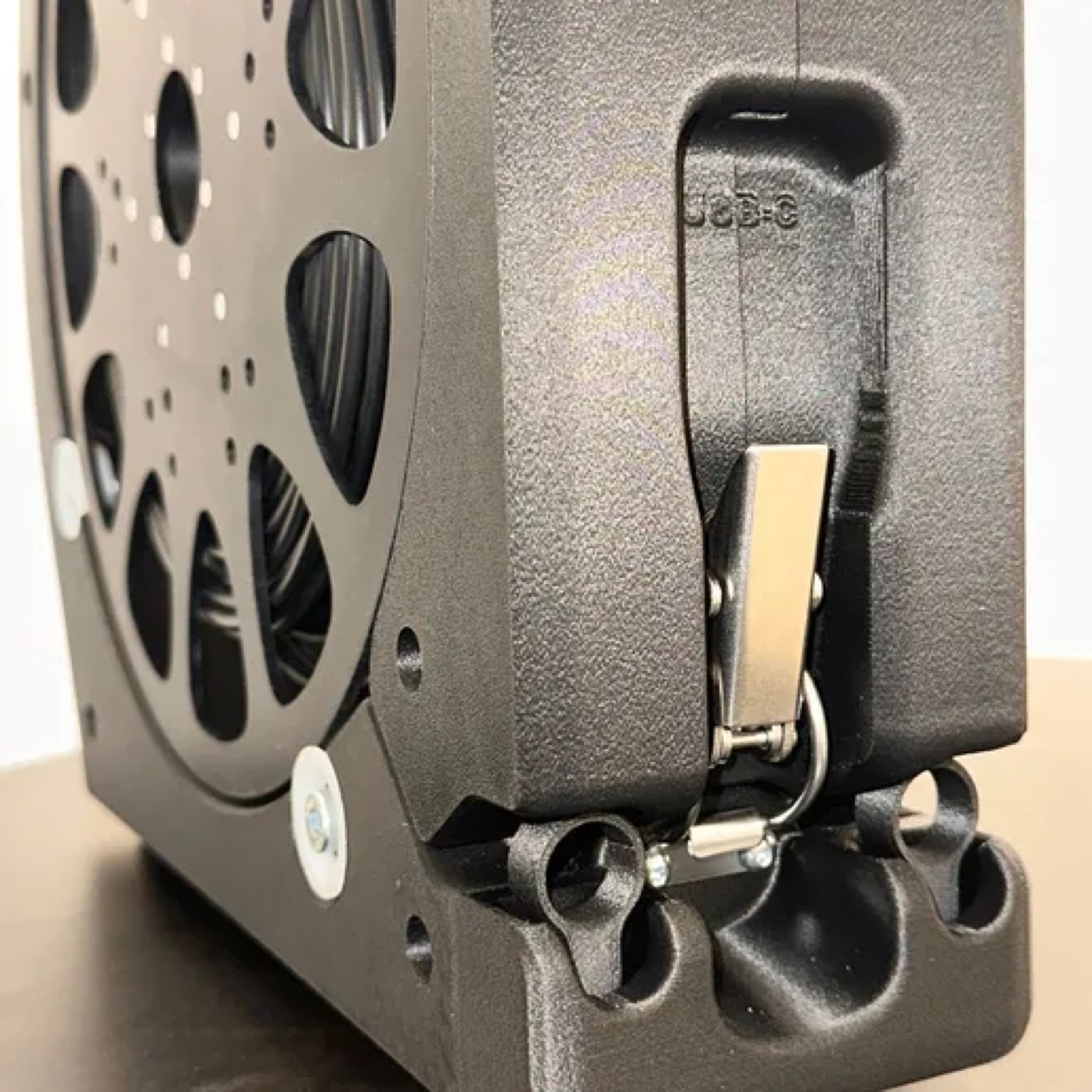
| Draw latch K2469 | Steel/stainless steel, round bail, up to 900 N, concealed holes. Hole spacing 14 mm, holes Ø 4.2 mm. Kipp |
| Catch K2468 (9142132) | The catch for the latch. Kipp |
| Bearing 624-2Z (4x13x5) | For example SKF 624-2Z, 624ZZ is fine too |
| Bearing 608-2RS (8x22x7) | For example RS PRO 608-2RS, a skateboard bearing works too |
| Battery holder 18650/26650, 16 mm panel button | Ordinary electronics suppliers |
| Springs (2 types), stainless axis 4x40 | The dimensions are in the bill of materials |
| Threaded inserts M3 to M6 | For example McMaster-Carr or CNC Kitchen inserts at 3DJake. The length of the insert must match the depth of the hole (CNC Kitchen standard: M3 5.7 mm, M4 8.1 mm, M5 9.5 mm, M6 12.7 mm) |
| Screws M3, M4, M5, M6, M8, M4 lock nuts, washers 8x12 and 8x16 | The numbers are with the steps and in the bill of materials |