Step 4Electronics
Power
inputUSB-C, USBLC6 protection
chargingTP4056, 1 A
battery18650 / 26650, DW01 protection
source selectideal diode LM66200
3.3 VTPS631000 buck-boost
Control and peripherals
processorESP32-C3-MINI-1, native USB
I²COLED display, RTC MCP7940N
encoderAS5600 analog, comparator MCP6546
input/outputbutton, buzzer
switchAP2191 cuts the peripherals
The control board carries the ESP32, the buzzer and the USB-C. Four connectors are plugged into the board.
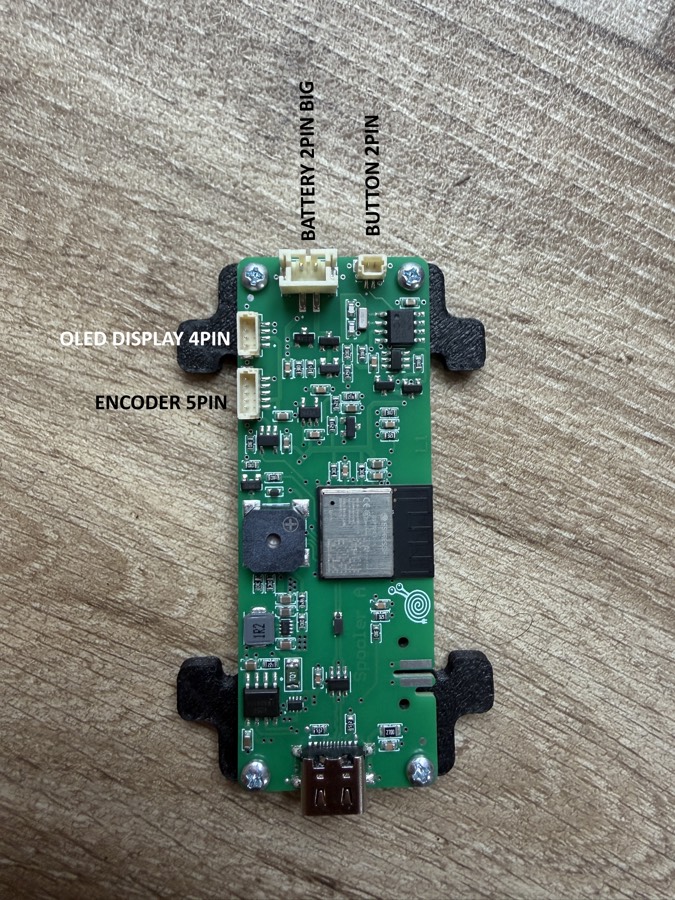
| Connector | Pins | Connects to |
|---|---|---|
| BATTERY | 2, large | Battery holder 18650 / 26650 |
| BUTTON | 2 | The button in the encoder head |
| OLED DISPLAY | 4 | Display 0.96" |
| ENCODER | 5 | The AS5600 board |
Cable routing in the photos
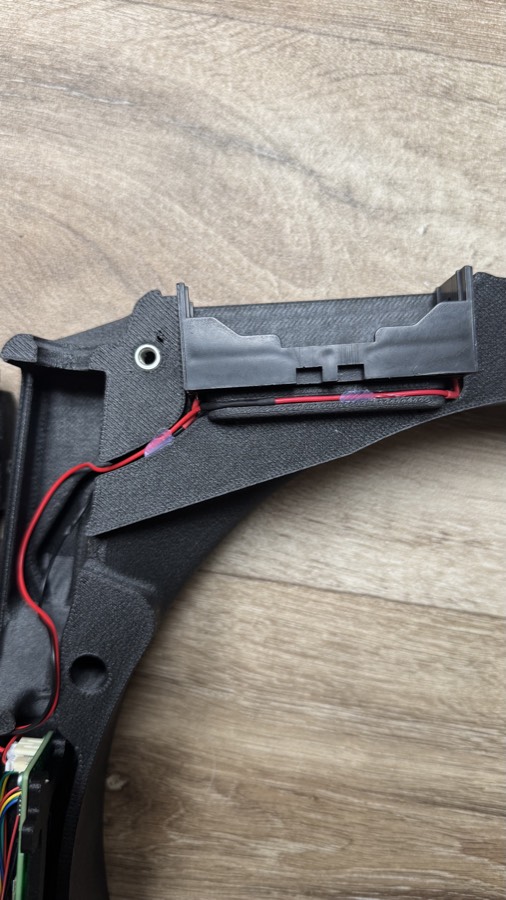
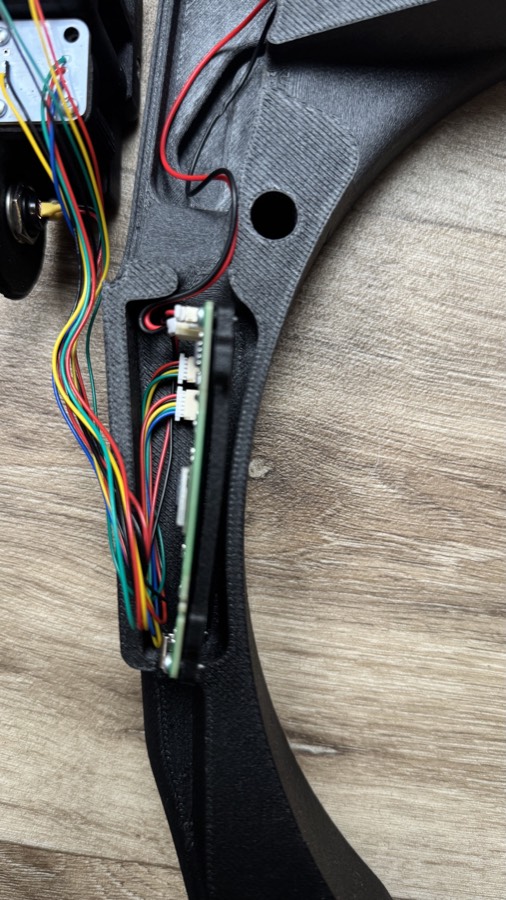
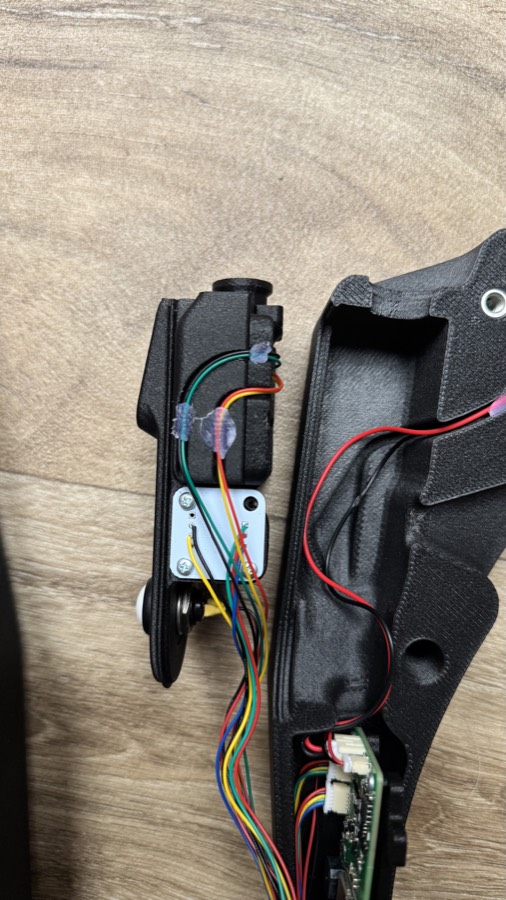
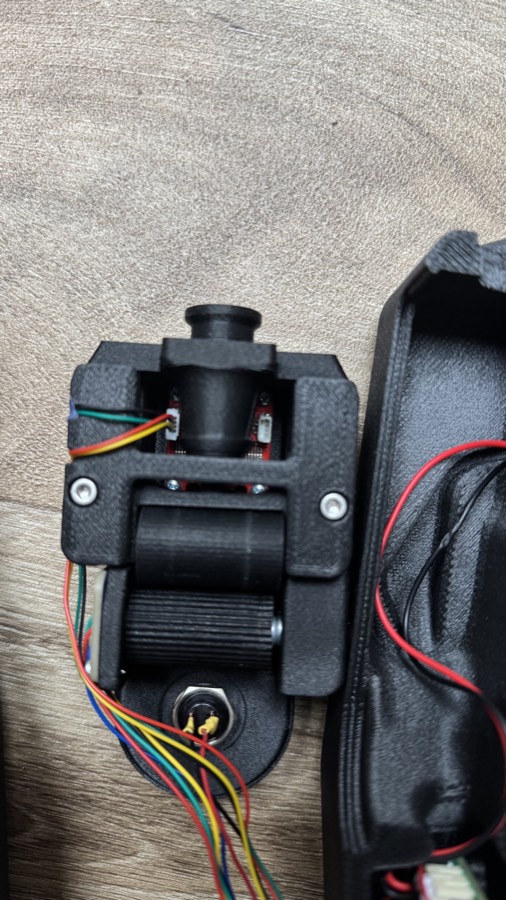
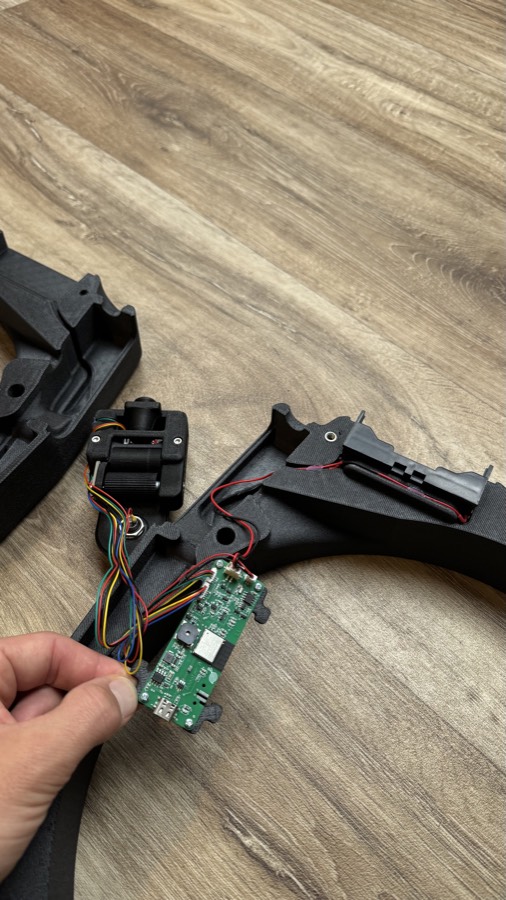
- Connect the battery and put it into the holder. Lay the cables in the channel and fix them (in the photos with small drops of glue or tape).
- Connect the display, the AS5600 and the button to the connectors of the board as described above.
- Lead the bundle of cables from the encoder head to the arm with the board and leave some slack for opening.
- Before you close the arms check that no cable is pinched in the joint.
The video opens after you buy this guide.See the plans →