Step 1Encoder head
The head measures the length of the cable. The cable passes between a knurled wheel with a magnet and a pressure roller. The AS5600 sensor reads the rotation of the magnet.
1. Base, display, sensor and button
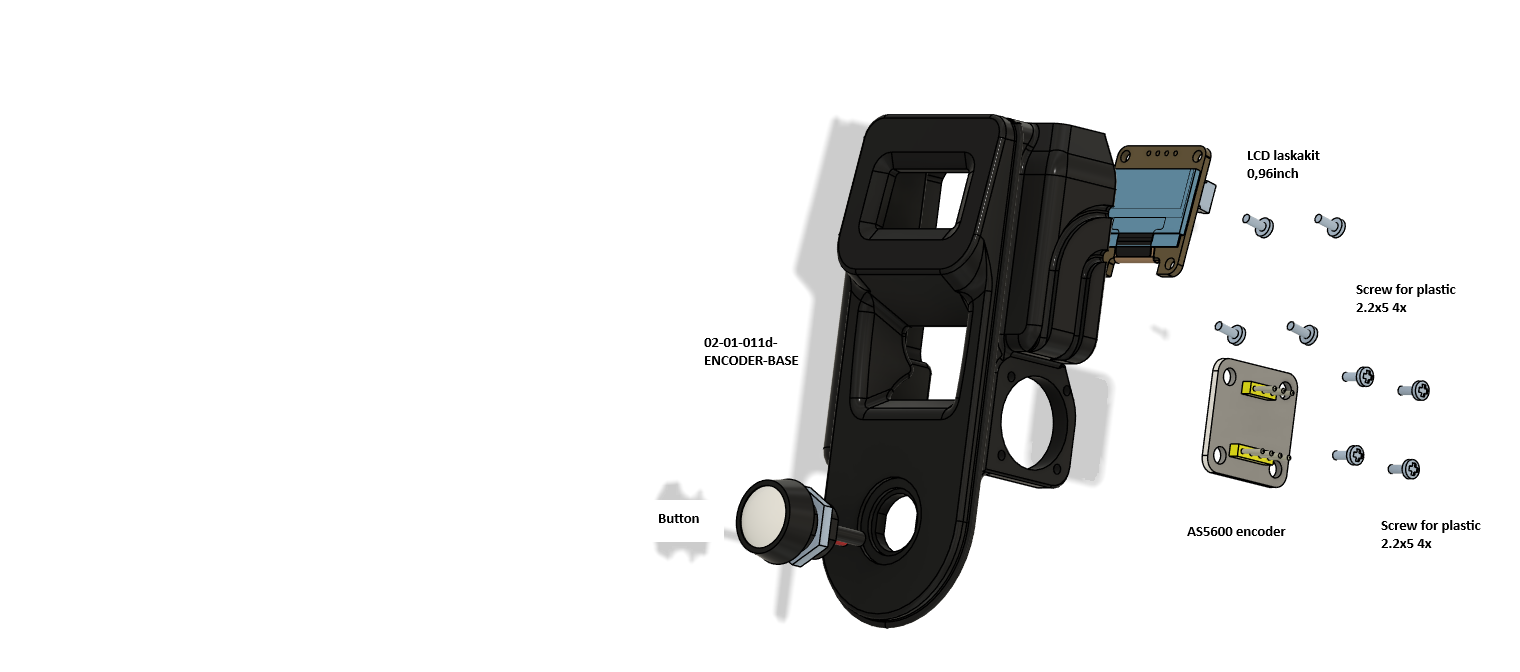
| Qty | Part | Note |
|---|---|---|
| 1 | 02-01-011d-ENCODER-BASE | |
| 1 | Display 0.96", Laskakit | OLED, 4-pin connector |
| 1 | AS5600 board (sensor) | 5-pin connector on the board |
| 1 | Button | Into the bottom hole, nut from behind |
| 8 | Plastic screw 2.2x5 | 4 for the display, 4 for the AS5600 |
- Screw the display on with four 2.2x5 screws.
- Screw the AS5600 board on with four 2.2x5 screws so that it lies above the axis of the wheel with the magnet.
- Put the button into the bottom hole and tighten the nut.
2. The pressure clamp
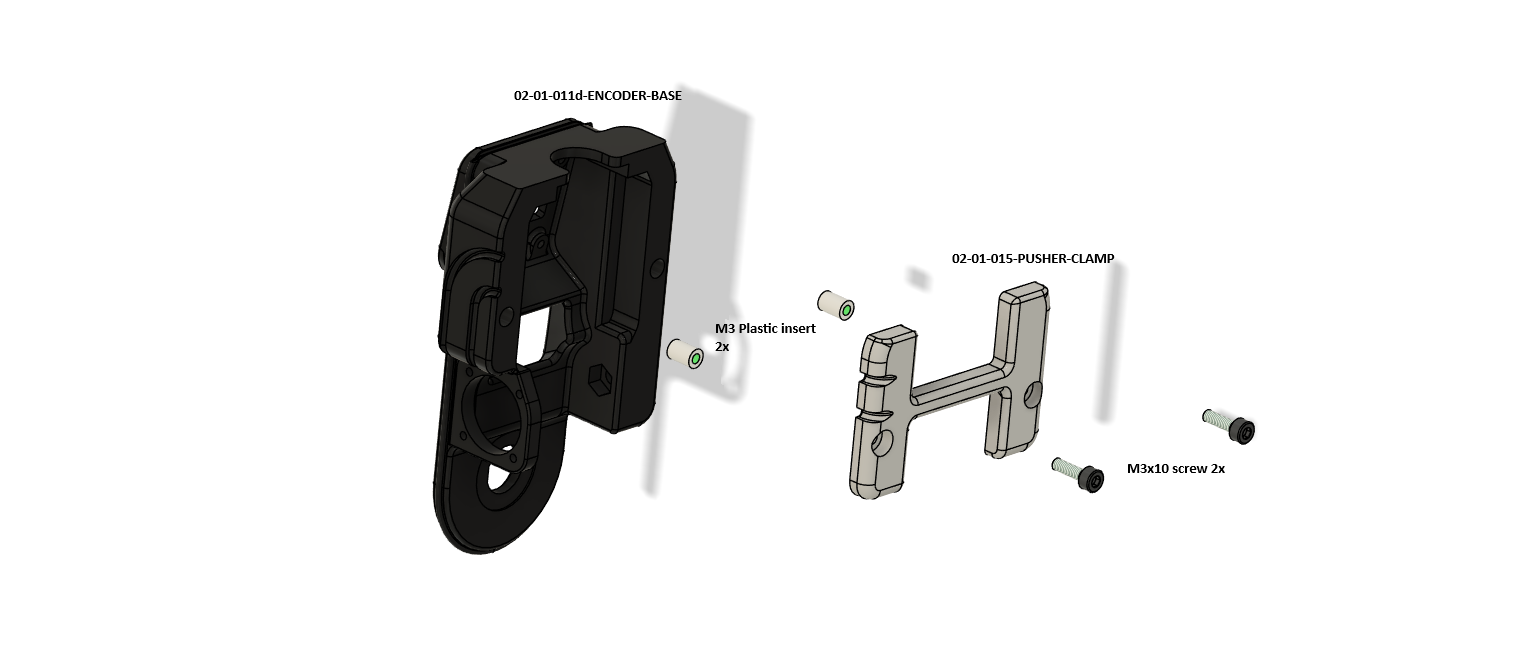
- Press two M3 inserts into the base.
- Screw 02-01-015-PUSHER-CLAMP on with two M3x10 screws. Do not tighten the clamp fully yet, the pusher goes in under it.
3. The pusher
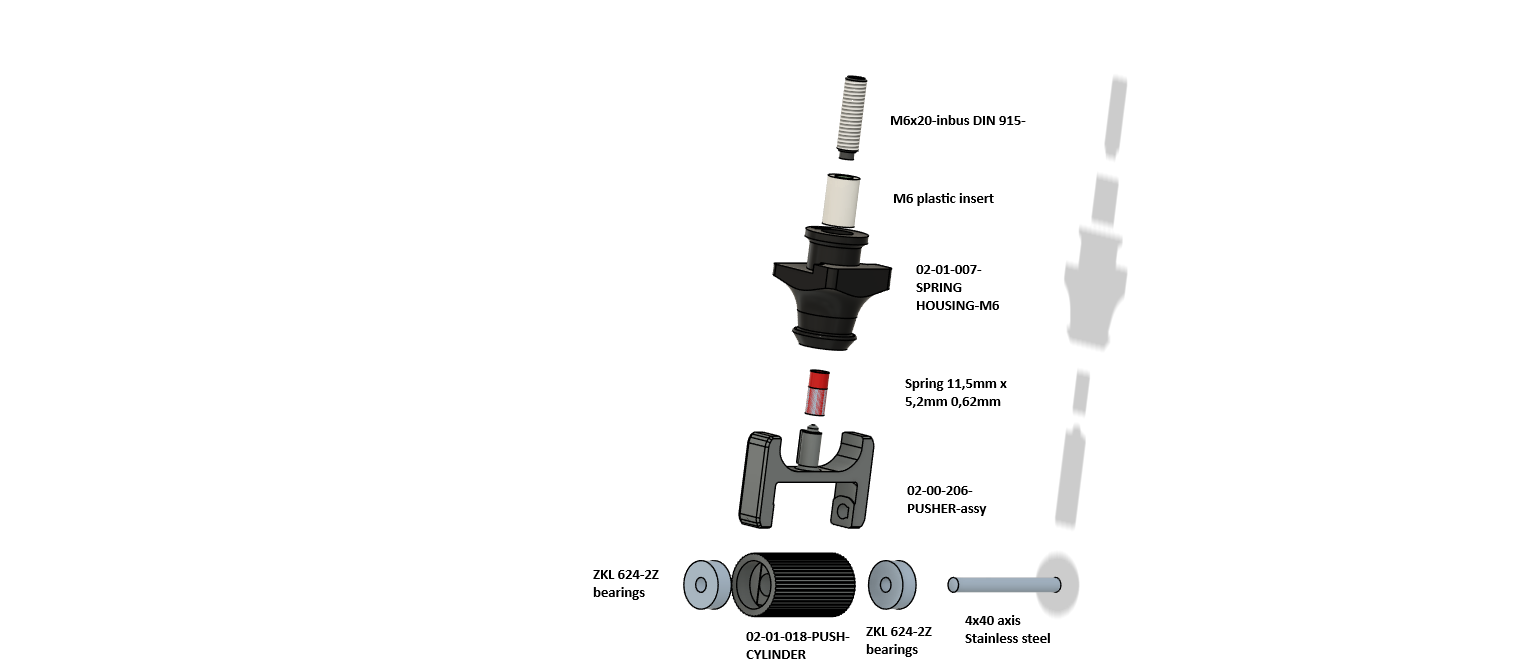
| Qty | Part | Note |
|---|---|---|
| 1 | 02-00-206-PUSHER-assy (02-01-016a-PUSHER) | Fork |
| 1 | 02-01-018-PUSH-CYLINDER | Pressure roller |
| 2 | Bearing ZKL 624-2Z | |
| 1 | Axis 4x40, stainless | |
| 1 | 02-01-007-SPRING HOUSING-M6 | Spring housing |
| 1 | Spring 11.5 x 5.2 mm, wire 0.62 mm | |
| 1 | M6 insert + screw M6x20 (DIN 915 in the drawing) | Adjusts the pressure |
- Put both 624-2Z bearings into PUSH-CYLINDER and push the 4x40 axis through the fork of the pusher.
- Put the spring on the pin of the pusher.
- Press the M6 insert into SPRING HOUSING and screw in the M6x20. The screw sets the force of the pressure.
- Put the whole assembly under PUSHER-CLAMP and tighten the clamp.
Note. The drawing calls the screw DIN 915 (a screw with a cylindrical tip and a slot). Check which type you have bought.
4. The encoder wheel with the magnet
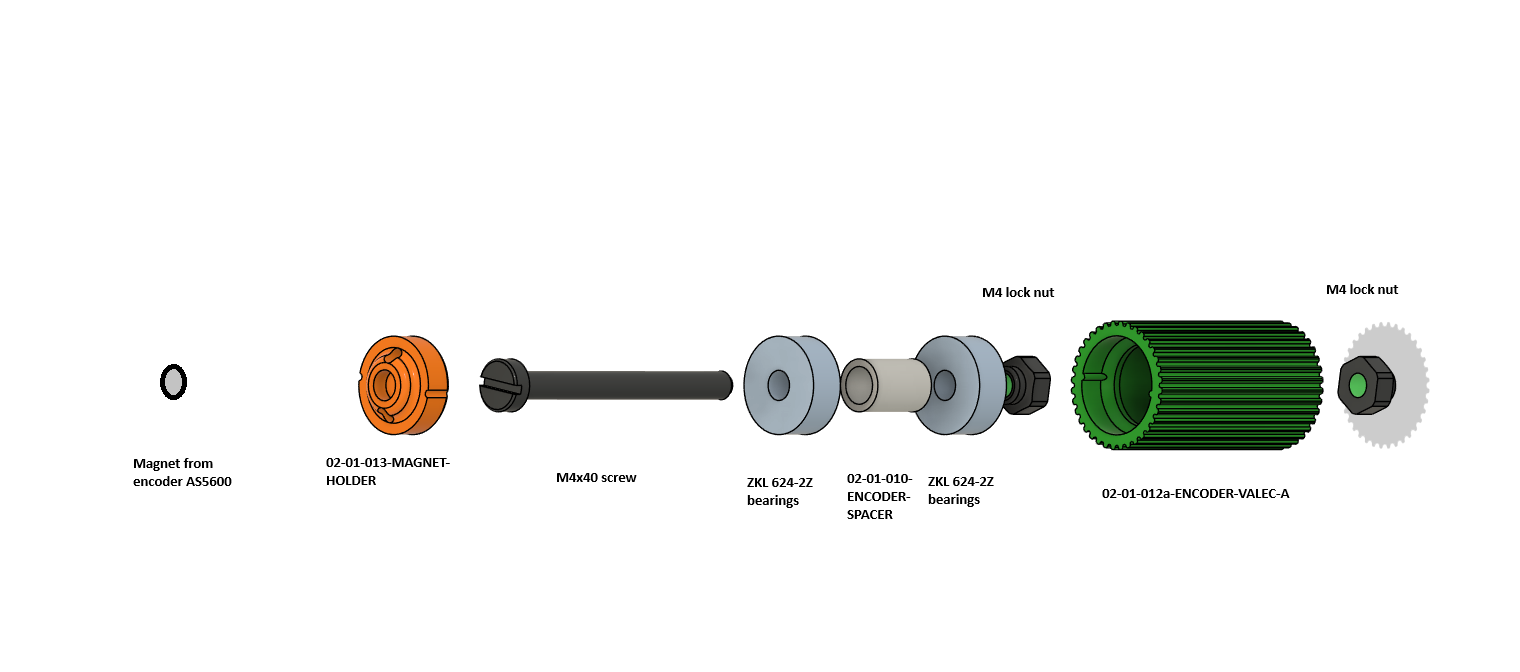
| Qty | Part | Note |
|---|---|---|
| 1 | 02-01-012a-ENCODER-VALEC-A | Knurled wheel (green) |
| 1 | 02-01-010-ENCODER-SPACER | Spacer tube between the bearings |
| 2 | Bearing ZKL 624-2Z | |
| 1 | 02-01-013-MAGNET-HOLDER | Magnet holder (orange) |
| 1 | Magnet from the AS5600 | Ring magnet, supplied with the board |
| 1 | Screw M4x40 | |
| 2 | Nut M4, self-locking |
- Put the magnet into MAGNET-HOLDER.
- Put a bearing, the SPACER and the second bearing into the wheel.
- Push the M4x40 through and secure it with the self-locking M4 nuts. The wheel must turn without play.
- Put the assembly into the base so that the magnet faces the AS5600 board.
The video opens after you buy this guide.See the plans →